Pre-paid return shipping labels are a practical way to simplify returns and reduce operational friction.
Easier returns mean happier customers, and less time your team spends on return-related questions and manual work.
In this article, we’ll talk about what prepaid return labels are, how they work on Shopify, and which shipping carriers you can use. We’ll also show you how to manage return labels so you can lower your return shipping costs.
What Are Prepaid Return Shipping Labels?
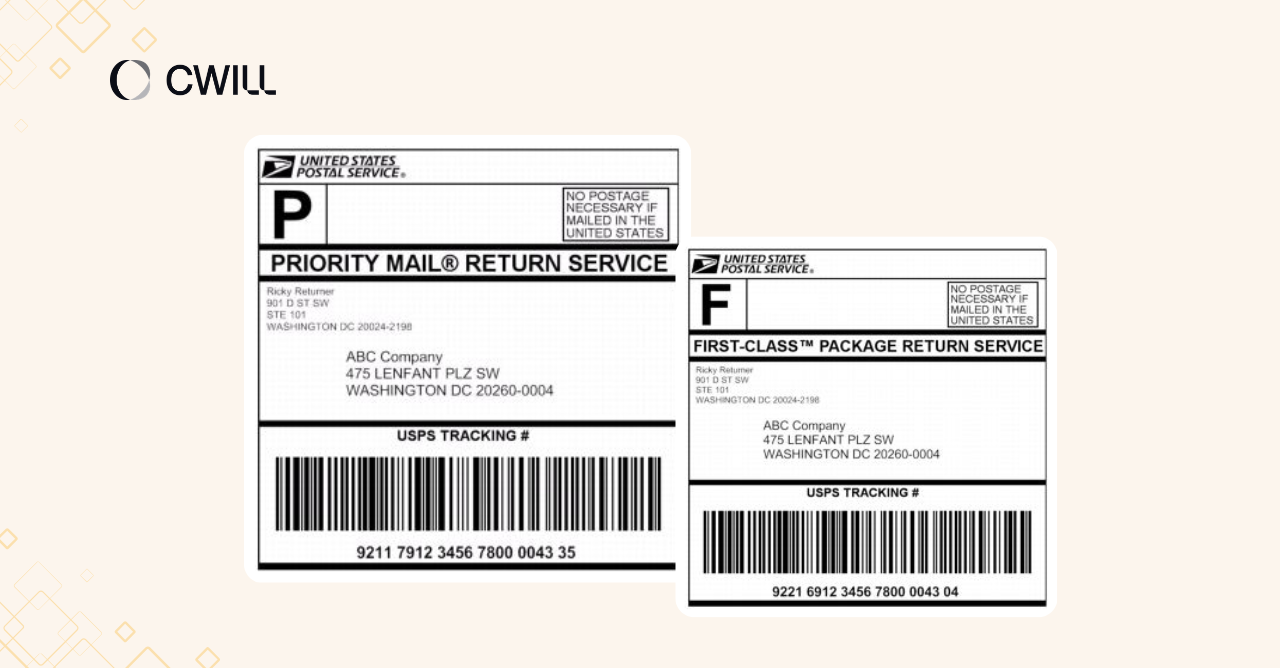
A prepaid return shipping label is a pre-filled and paid-in-advance document that allows customers to return an item to an e-commerce store.
It’s great for lowering return friction, as it’s technically free (sellers pay for it). All they have to do is print it and stick it on the box. We all know how customers love free return service and how that can improve their experience with a brand.
Often, prepaid labels include the following details: carrier info, return address (seller’s warehouse or return center), recipient’s details, tracking number, and prepaid postage.
Common Types of Prepaid Return Labels
There are four types of prepaid return labels:
- Preprinted Labels: Labels included inside the package at the time of shipment. No extra steps for the customer.
- Electronic Return Labels: A prepaid label sent via email that customers print at home before dropping off the package.
- Pay-on-scan Labels: Labels created in advance, but you’re only charged once the carrier scans the package at drop-off.
- QR Code/Printerless Labels: A digital code that customers download on their phones and show at a carrier location. The staff will be the ones to print the labels on the spot.
For a quick side-by-side, here’s how each type compares:
| Type | Cost Model | Best For | Pros | Cons |
| Pre-printed | Paid upfront | Low return volume | Zero effort for customers | Wasted cost if unused |
| Electronic | Paid upfront | Most online stores | Easy to send, widely used | Customer needs a printer |
| Pay-on-scan | Charged on use | High return volume | Better cost control | Slightly higher per-label rate |
| QR Code (Printerless) | Varies by carrier | Mobile-first shoppers | No printing needed | Not all carriers support it |
👉 Read more about Shopify return labels and how to simplify your return process.
How Prepaid Return Shipping Labels Work on Shopify
Here’s how the prepaid return shipping labels are created and used… starting from the label creation until the customer decides to ship the items back:
- Merchant creates the label in advance: Ecommerce store owners create a label within their admin account through Shopify Shipping. With this, they can create a return label directly from partner carriers. Sellers also have to type in the correct weight and dimensions of the package.
- Label is sent to the customer: The label is either pre-printed and included in the box or sent through email. If it’s an email, the customer receives a PDF version that they can print at home.
- Customer drops off the package: The customer initiates a return by printing (and attaching) the label to the package. After that, they drop it off at the nearest carrier location.
- Return process will start: The carrier then scans the label to activate the tracking. Reverse logistics begins here.
- Merchant receives and processes the return: Once the package arrives at the seller’s warehouse, the tracking code is scanned and automatically linked to the original order. From there, the next step will apply: refund, exchange, or restock.
That’s how simple the process is on both ends. Plus, tracking is built into the label from the moment it’s created, so you and your customer can check the return status at any point.
Why Shopify Merchants Offer Prepaid Return Labels
Prepaid return labels allow Shopify merchants to make their return process more seamless. But besides that, it offers what customers (90% to be exact) love the most: free returns.
If what you really want is to earn your customers’ trust and make them come back to your store, you should really consider prepaid return labels.
Plus, most brands that offer this are those that sell products that are highly dependent on fit, preference, or personal taste. Where the customer often won’t know if it’s right for them until they actually try it on.
Main Benefits of Prepaid Return Shipping Labels
Here are the benefits you can enjoy if you choose prepaid return shipping labels:
- Easier returns for customers: Manhattan Associates found that 40% of customers stop buying from a brand after a bad return experience. With prepaid labels, your customers won’t have to secure the return labels on their own (and that will make the process much easier).
- Transparent return costs: 25% of online shoppers say that paying for returns is the hardest part for them (based on eMarketer’s report). Since you pay for a prepaid return label, there won’t be “surprise costs.”
- Fewer return errors: The label comes pre-filled with the correct return address, recipient details, and tracking number. So, the chances of their packages ending up in the wrong location will be slim.
- Lower environmental impact: Prepaid return labels (especially pay-on-scan and QR code labels) offer a sustainable way for brands since they use less paper and ink.
- Stronger operational control: Every prepaid label includes a tracking number from the start, so you’ll be able to monitor the progress… and time refunds, exchanges, and restocks better.
When Prepaid Return Labels Make the Most Sense
Prepaid return labels are best for ecommerce stores where returns are more common. Statista mentioned that the most returned items in the U.S. are: clothing, shoes, accessories, food and beverages, and electronics.
But is that all you have to consider? Well, not really. You also have to check:
- Your order value,
- return rate,
- and shipping coverage.
Let’s say your average order value is less than $20-$30, and you have customers outside the U.S. Your return shipping cost might be more than the sale you made. Another one is that if your store has a low return rate (lucky you). It won’t be financially wise to offer prepaid labels on every order.
Before you provide prepaid return labels, review your data for the following factors. You’ll have a clearer picture whether it’s worth it… or not.
Prepaid Return Labels: How They Compare to Other Options
Next up: Let’s see how prepaid return labels compare with other options like customer-paid, pay-on-use, and manual shipping label creation.
| Prepaid Labels | Customer-Paid | Pay-on-Use | Manual Creation | |
| Who covers shipping | Merchant | Customer | Merchant (on scan) | Merchant |
| When you’re charged | At label creation | N/A | Only when the carrier scans | At label creation |
| Customer experience | Frictionless | More friction | Frictionless | Depends on response time |
| Best for | Stores where convenience drives repeat purchases | Low-margin or inexpensive products | Stores with unpredictable return volumes | Low return volumes |
| Main trade-off | Higher cost for merchants | May affect customer loyalty | Slightly higher per-label rate | Time-consuming at scale |
| Operational effort | Low with automation | Low | Low with automation | High |
Prepaid Return Labels vs. Customer-Paid Return Shipping
With customer-paid returns, your customers cover the shipping cost on their end. That’ll allow you to lower your return rate (since they’ll think twice as return isn’t free).
We suggest this if you’re selling inexpensive products. But if your brand competes on customer experience, asking customers to pay for returns isn’t a good idea.
Prepaid Return Labels vs. Pay-on-Use Labels
Standard prepaid labels are created and billed at the moment you generate them. But pay-on-use labels only get charged once the carrier scans the package.
This works better when your return volume is unpredictable month to month. The per-label rate for pay-on-use can run slightly higher, so it comes down to whether you prefer a fixed cost or paying only for returns that actually happen.
Prepaid Return Labels vs. Manual Label Creation
With manual shipping label creation, your support team has to collect customer details, generate each label individually, and send it back one by one.
If you’re handling a few returns in a month (around 20-30), this is doable. But for a bigger volume? Your team will suffer from the repeated back-and-forth, and response times will slow down.
In this case, automation will still be the best way to go. You get control while also building a more efficient workflow. Labels get generated and sent as soon as a return is approved, so your team can focus on issues that actually need their attention.
How to Create Prepaid Return Shipping Labels in Shopify
Shopify lets you create prepaid return labels directly from your admin or the Shopify mobile app, using connected carriers like USPS, UPS, and FedEx.
On desktop:
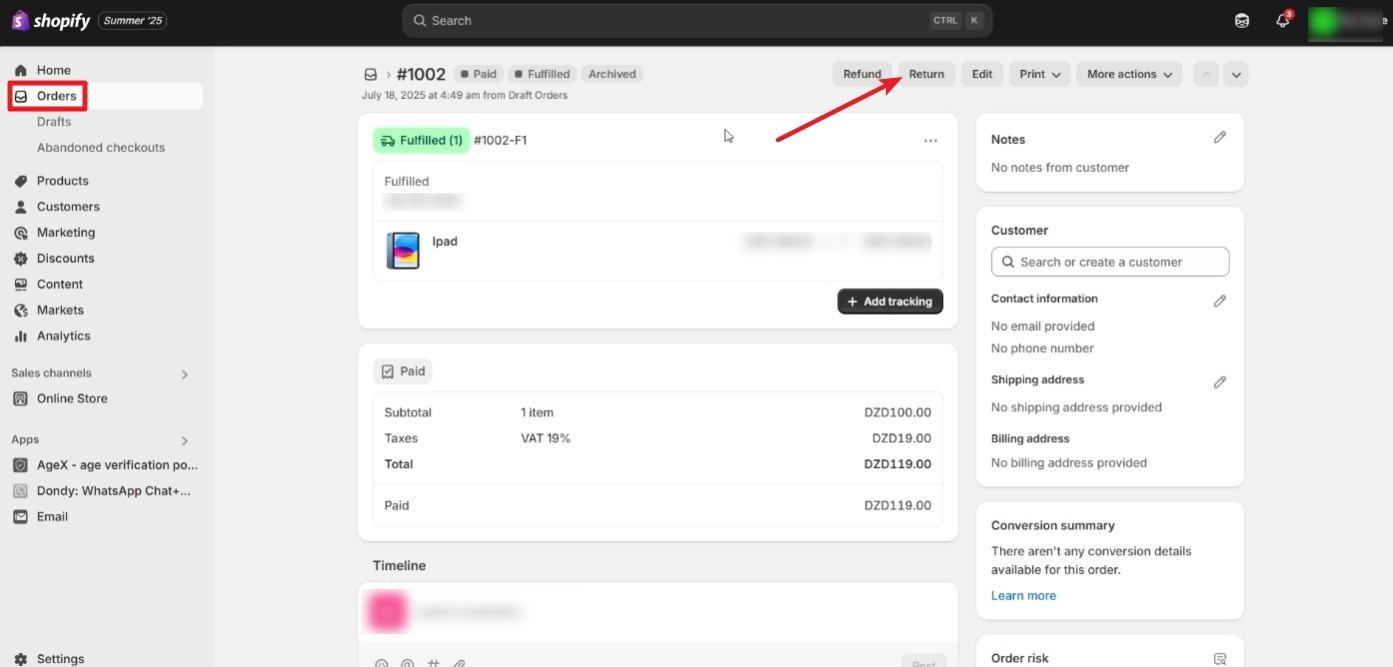
- Go to Orders and click the order you want to create a return for
- Click Return and enter the quantity of items being returned
- Under Return shipping options, select Create a return label in Shopify and click Create return
- Set your return address, package size, weight, and shipping service
- Click Create return label, then send it to your customer via email, a shareable link, or print it directly
On mobile: Follow the same steps through the Shopify app. Tap the order, tap the three dots, select Return, and follow the same flow through to Create return label.
Once you create labels, you can resend them anytime from the Return label section inside the order.
If you’re processing high-volume returns, a return management app can automate label creation and approvals so you’re not doing this one order at a time.
What Information a Return Shipping Label Should Include
A prepaid return shipping label should include the following:
- Sender’s address (your customer)
- Return address (your warehouse or return center)
- Recipient details
- Tracking number
- Barcode
- Prepaid postage
Every detail on that label matters. A wrong return address or missing barcode can cause delays, failed deliveries, or packages that end up at the wrong location entirely. Most carriers scan the barcode at every checkpoint, so if it’s damaged or unreadable, the return can get stuck.
Double-check the label details before sending them out to your customers.
Common Carrier Options for Prepaid Return Labels
Here’s a quick look at the most common options available to Shopify merchants.
UPS Return Label Options
UPS is one of the most used carriers for domestic prepaid return labels. UPS Ground covers the entire contiguous U.S. and is the go-to option for standard, “non-urgent” return shipments.
You can send the UPS prepaid label through email, include it in the original package, or let customers download and print it themselves. With this carrier, you can also offer printerless returns, scheduled return pickup, and drop-off options.
Before setting up UPS as your return carrier, review their service limits for your product type, check drop-off location availability, and confirm which return services apply to your shipment.
FedEx Return Label Options
Next is FedEx. Its return label options include emailed printable labels, preprinted labels included in the original package, and QR code returns at participating locations like Walmart, Office Depot, and OfficeMax.
For everyday return shipments, FedEx Ground is a reasonable option. Imagine one of your customers wants to return a wrong-sized shirt and exchange it for the right one. With this shipping option, you’ll receive the item back within 3 to 5 days. You can process the exchange while waiting for the item.
If you have a FedEx account, you can create and manage return labels directly through FedEx.com or the FedEx Mobile app.
USPS and Other Carrier Options
USPS prepaid labels are another solid option for prepaid return labels. Through Click-N-Ship, you can create return labels online and get discounted rates. USPS return labels are also free to print, and you only get charged once the label is actually used.
For customers without a printer, USPS offers two options: USPS Label Broker lets them show a Label Broker ID at their nearest Post Office to print it there, and USPS Label Delivery Service sends a physical label directly to them for a $1.65 fee.
You can also look into regional carriers in your country. Sometimes, they offer better rates and faster coverage (especially if you’re serving local customers).
How Carrier Options Affect Return Costs
Okay. We provided you with some great carrier options, but how much will prepaid return labels actually cost you? Well, the final cost will depend on package weight, dimensions, shipping zones, and the shipping service.
Ground shipping is almost always more cost-effective than express. For example, you can go for more affordable rates with UPS Ground over a faster service like UPS 2nd Day Air.
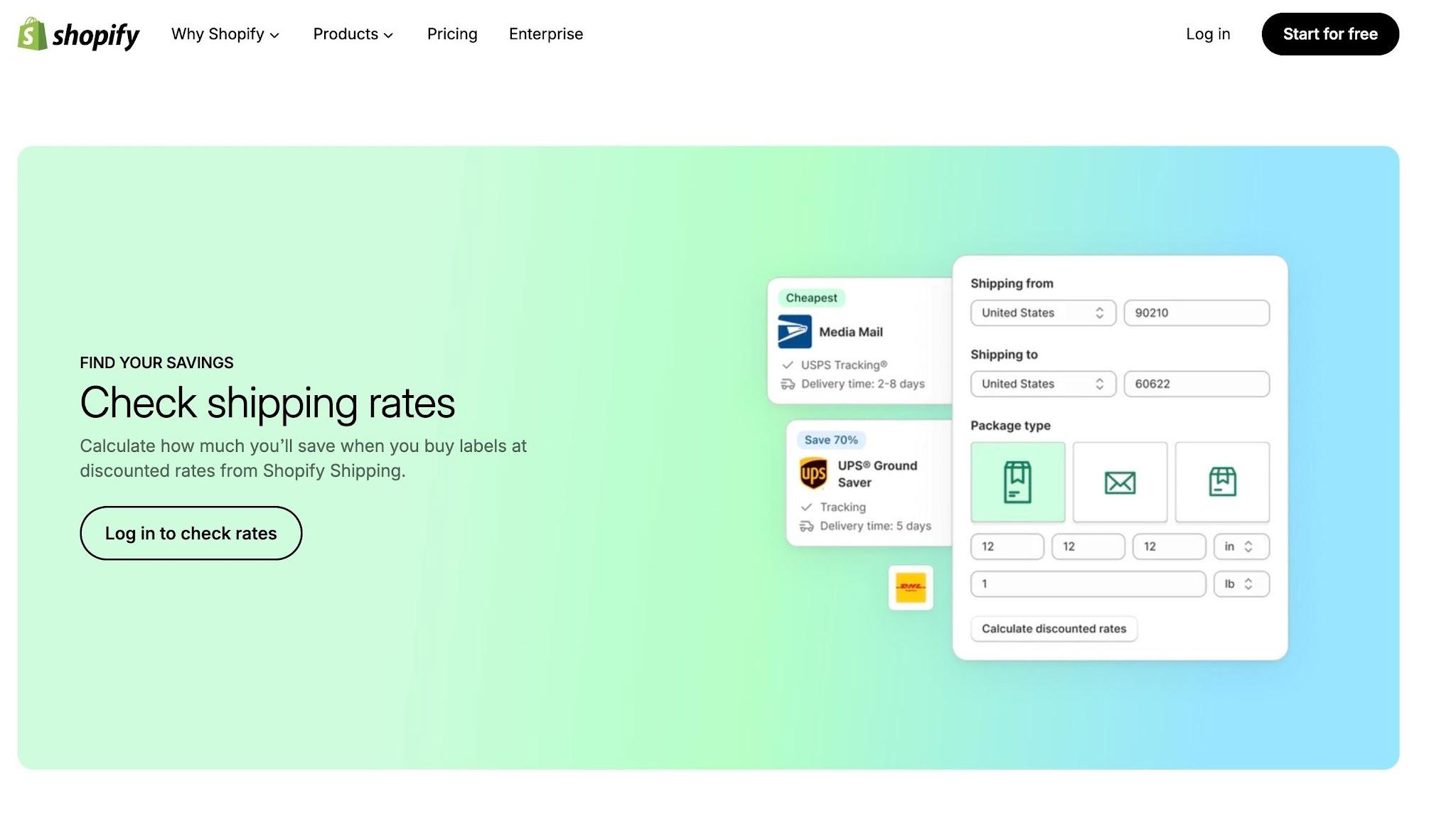
And if you want to bring those costs down, discounted shipping rates are the way to go. You can get them from platforms like Shopify Shipping and USPS Click-N-Ship, which offer commercial rates that are lower than standard retail prices.
As an ecommerce store owner, making a wise decision here can help you save money even when your order volume (and returns) start to grow.
How to Reduce Costs with Prepaid Return Labels
One reason why some merchants try to stay away from prepaid return labels is the cost. But the good news? There are some ways you can minimize it.
Choosing ground shipping can work for non-urgent returns. Most return shipments don’t really have to arrive right away, so you can save a good amount per shipment with standard shipping.
Pre-printed return labels also mostly go to waste. If you want to reduce your expenses, offer pay-on-scan labels instead. That way, you only get charged when the carrier actually scans the package.
Now, if you’re processing a good volume of returns, discounted rates are something you should look into. Some returns management and shipping platforms can give you access to lower label rates that aren’t available if you book directly with carriers.
To top it all off, create a solid return workflow where you can track label usage, monitor return reasons, and handle everything from one place.
How to Send Prepaid Return Labels to Customers
Besides physical label printing, there are three other ways to send these prepaid shipping labels: via email, through a self-service return portal, or as a QR code.
Email is the most practical choice for smaller stores. You attach the label as a PDF (once the customer pays for the item or upon request), the customer prints it at home, and they’re good to go.
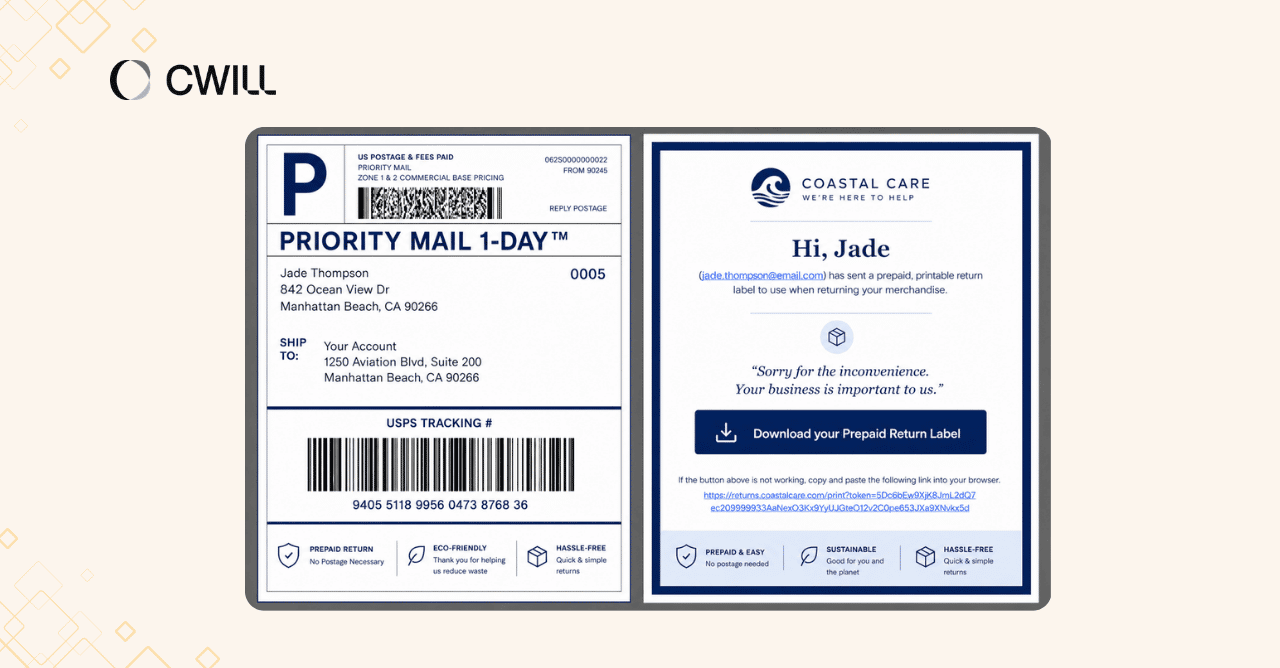
If you are processing a higher return volume and want to automate it, setting up a self-service return portal might be a better option. Your customers can get the label by logging in, initiating a return request, and downloading it directly.
For a more hands-off option, QR codes let customers skip printing altogether. Carriers like USPS through Label Broker, FedEx through Easy Returns, and UPS offer this through their own return programs. Among the three, this is the most convenient delivery method… but few carriers support it right now.
PRO-TIP: Create a dedicated page where you walk your customers through the return steps and provide FAQs for common issues. This is a great first step toward a simplified return process.
Printing Options for Prepaid Return Labels
For pre-printed labels, you can set up and use thermal label printers (like Munbyn, HP, or Rollo) at your warehouse. Thermal printers can provide you with adhesive labels that you can easily include inside the box.
But how about if you can’t provide pre-printed ones? You can advise your customers to print the labels on their own using a standard inkjet or laser printer at home. Using plain paper is enough.
If you partner with USPS, your customers have another option to skip printing altogether. Through USPS Label Broker, they can simply show a QR code at their local Post Office, and the staff will print it for them. UPS Store locations offer the same in-store printing option as well.
Common Problems with Prepaid Return Labels and How to Fix Them
As much as prepaid return labels are great for simplifying your return process, there are some problems you might face when offering them to your customers.
| Problem | Description | How to Fix It |
| Label prints incorrectly | The label comes out too large or too small | Ask the customer to adjust printer settings to “Scale to Fit” or 4×6 inches. |
| Label email never arrived | The customer didn’t receive the email with the label | Ask them to check their spam folder first. If it’s not there, resend the label or ask them to download it from the portal (if possible) |
| Invalid or rejected address | The system rejects the address or generates a bad barcode | Use USPS Zip Code Lookup or your carrier’s address validation tool to verify the address |
| No printer available | The customer can’t print the label at home | Partner with carriers that offer QR-based labels (like USPS) |
| Label invalid for the return | The label doesn’t work for international shipments or oversized items | Check if the return is within the US and not going to an APO/FPO/DPO. Use a third-party app to process international returns. |
Most of them are not that serious, but they can still affect the returns process for ecommerce businesses if not fixed.
Best Practices for Managing Prepaid Return Labels
Your prepaid return label workflow is only as good as the return policy behind it. Before anything else, make sure your return policy is clear on what’s eligible, how long customers have to return an item, and when a prepaid label applies.
From there, keep these things consistent:
- Set expiration rules: Most prepaid labels expire within 14 to 30 days. Your customers should be aware of this, so they can use the labels on time (and you can avoid support questions connected to this).
- Define eligibility limits: Some of your products may be too cheap (or too expensive) for a prepaid label to make financial sense. Plus, some return reasons, like buyer’s remorse, may not qualify for one. So, be specific about what you allow in terms of products, order values, and return reasons.
- Standardize your instructions: Your customers should see the same steps and information every time they initiate a return. If there are any exceptions, make those clear in your return policy page.
And of course, don’t forget to review your return data. Look at which carriers are performing well, how many labels are actually being used,… and what your most common return reasons are. This will be the most effective way to reduce returns on your part.
How Return Apps Simplify Prepaid Label Workflows
Return management apps help you manage prepaid labels more efficiently. They allow you to create multiple shipping labels for returns, automate approvals, and send email notifications to customers all from one place.
But that’s not all. Most return apps also let you support both printable PDF labels and QR code returns. Your customers can choose which format works best for them, and the app takes care of delivering it.
If you want to get started with this, ParcelWILL Returns & Exchanges is a good app for Shopify merchants.
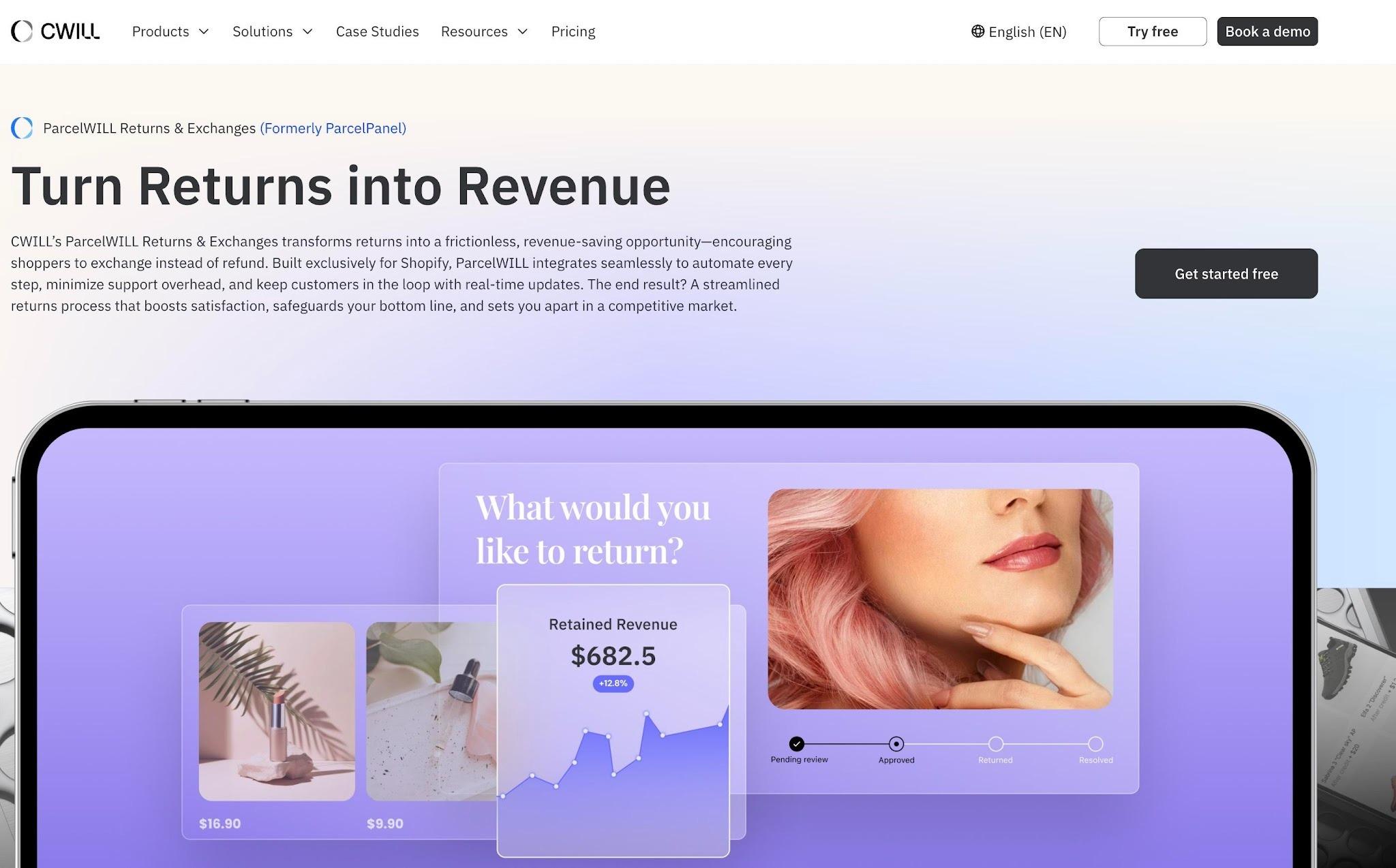
It connects with well-known carriers like USPS, UPS, FedEx, and DHL, so you can access discounted return labels and printerless QR code options. ParcelWILL can help you save money and make the process more “frictionless” for your customers.
The app also provides a self-service return portal where customers can initiate and track their own returns. Your team no longer has to walk them step-by-step through the process.
Final Thoughts
Congratulations on making it to the end! You now have everything you need to set up prepaid return labels for your Shopify store.
Prepaid return labels make the process more convenient for your customers and give you better operational control as you grow.
Now, it’s time to review your current return process and decide which label type and carrier setup makes the most sense for your store.
FAQs About Prepaid Return Shipping Labels
What is a prepaid return shipping label?
A prepaid return shipping label is a pre-filled, pre-paid document that lets customers send an item back without having to shoulder the return costs. The merchants are the ones who pay for it… so customers just have to print the label, stick it, and drop it off at the designated location.
Can I create prepaid return labels in Shopify?
Yes, you can create prepaid return labels directly in Shopify. You can set this up by going to your Shopify admin, opening the order you want to create a return for, and clicking Return. From there, you can select your shipping method, generate the label, and send it to your customer via email, a direct link, or print it yourself.
What carriers can be used for prepaid return labels?
You can create prepaid return labels through major carriers like USPS, UPS, FedEx, and DHL. Your choice will mostly come down to your shipping rates and where most of your customers are based.
Can customers use QR codes instead of printing labels?
Yes. Customers can now use QR codes as an alternative to printing return labels. This option lets them skip printing altogether. All they have to do is show their QR code (from their phone) at a carrier drop-off location, and the staff prints the labels for them.

Content Specialist
I’m passionate about creating SEO-friendly content that also resonates with readers. I take data and insights and turn them into actionable, practical ideas. My mission? Helping websites drive organic traffic and grow sustainably.