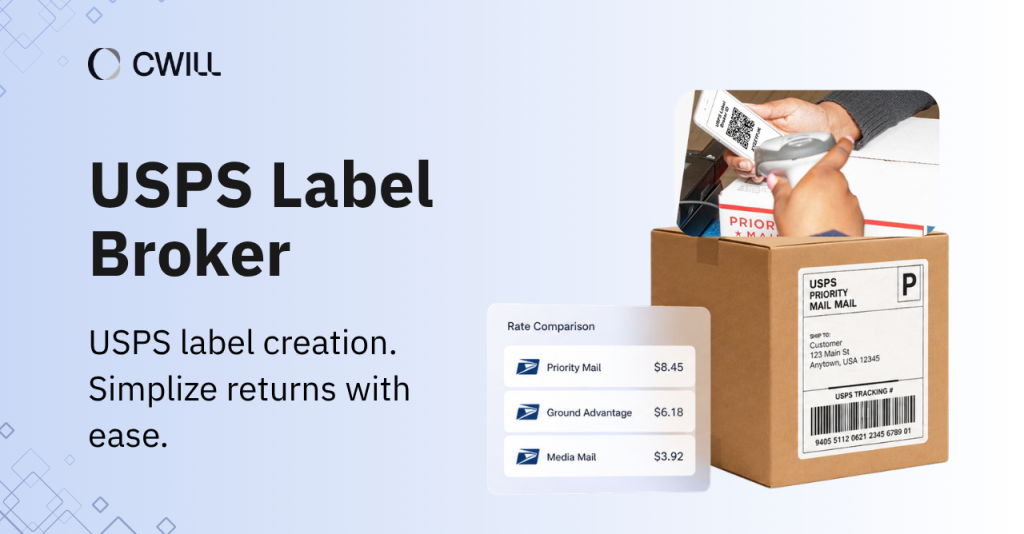
Some customers abandon a return request the moment they realize they have to print a label. They may not say anything, but it often leaves a negative impression of your store. And USPS Label Broker is one of the solutions built for that exact problem.
Customers only need a QR code or a Label Broker ID to complete a return. And since the shipping is prepaid, it further reduces return friction. Offering one can make the return process much easier and improve customer satisfaction.
In this article, we’ll talk about what USPS Label Broker is, how it works, the key benefits for Shopify merchants, and how you can add it to your current return setup.
What Is USPS Label Broker?
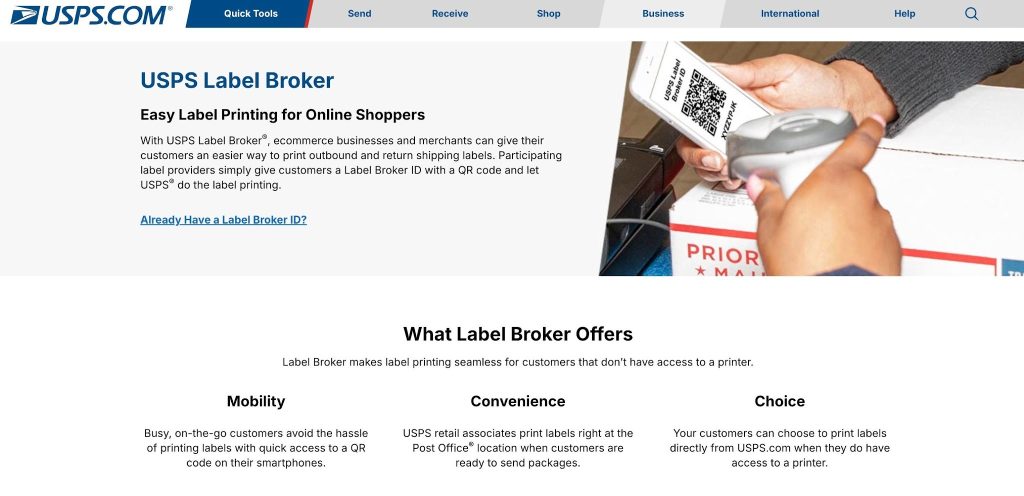
USPS Label Broker is a return shipping label service (from USPS) that allows customers to initiate their return process without having to print the label on their own.
USPS introduced it to the public in 2020. From then on, most merchants use it to offer prepaid return shipping labels to provide a more efficient drop-off experience for customers.
So, what happens here is that customers get a QR code and a Label Broker ID (which has around 8-10 alphanumeric characters) specific to their return shipment. That’s what they show to the USPS associates or scan with a self-service kiosk.
It’s super practical because they only have to show up with their phone. No more printing a piece of paper, or as we call it… the return label.
How USPS Label Broker Works
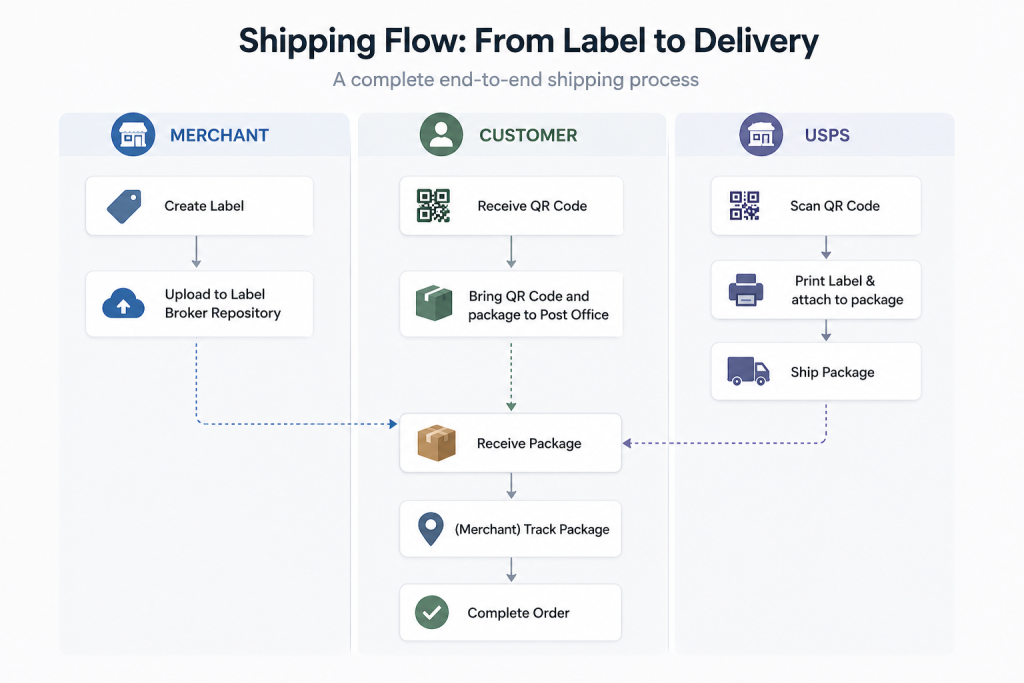
USPS made the process simple for customers (and also for merchants like you). All you have to do is generate the return label once, send it to your customer, and let the post office (or USPS partner) handle the rest.
Step 1: Create the Return Label
Since this is for prepaid return, you’ll have to generate the label using your return or shipping software. After that, store it in the USPS Label Broker repository… and provide the designated ID (and QR code) to your customer through text or email.
The label will contain all the important info: the return address, shipping details, and a tracking number.
Step 2: Customer Brings the Code to USPS
Your customer visits the nearest participating post office (with their sealed package) and their QR code or Label Broker ID.
They present the code at the counter, and that is all they need to retrieve their label. As we said earlier, your customers don’t have to print anything at home… or look for a printing shop.
Step 3: USPS Prints the Label
A USPS associate scans the code at the retail counter and prints the label. Some partner offices also provide a “self-service kiosk” where your customers can do this themselves. After attaching the label and handing the package over, reverse logistics start.
All the customer needs to do is wait for the return to be successful.
👉 Read more: Learn how Shopify return labels work and how to manage them efficiently.
QR Code vs. Label Broker ID
Both the QR code and the unique Label Broker ID let your customers claim the prepaid return label at the post office. You only need to show one.
The huge pros that QR codes provide are their convenience and capacity. Since it’s scannable, your customers won’t have to type anything on their own. Plus, it can also hold up to 11 different labels in a single QR code. If your customer plans to return multiple items at once, one QR code covers all of them.
Now, if there’s a problem with the QR code, Label Broker ID is the perfect alternative. Customers just have to type in 8-10 characters to retrieve the same return label. With Label Broker ID, you can avoid delays and failed return attempts.
Key Benefits of USPS Label Broker for Shopify Merchants
What’s great about USPS Label Broker is that it benefits merchants’ operations and customer convenience. Let’s talk about each one:
Easier Returns and Better Customer Experience
Your customers can complete a return without printing anything at home. They simply have to bring their QR code (with the label broker) to any USPS location, scan it, and drop off their package. That’s it!
It removes one of the common barriers for online shoppers: printing return labels. And makes the whole return process way easier.
Why does that matter? Well, it can help improve your sales and customer retention. In fact, 50Folds mentioned that 92% of customers buy again from a brand because of a smooth return. Plus, customers with a positive experience spend 57% more on their next purchase.
Lower Operating Costs and Less Support Work
Since Label Broker minimizes printing and manual handling, you can also reduce extra costs (brought by pre-printed labels).
USPS also provides a clear step-by-step guide. So, your customers can enjoy a more direct return process, and they won’t have to ask you anymore, “where should I drop my item?,” “how can I claim my return label?” and other return-related support.
Once you polish this return setup, you’ll spend less on ink and paper, your brand becomes more sustainable,… and your team can focus on more serious issues.
Stronger Brand Experience During Returns
Even though we mentioned that it’ll be less work on your support team, that doesn’t mean communication will be completely hands-off.
You can take the opportunity to automate branded return emails and notifications through your platform. For example, you can send return updates with your store’s logo, colors, and your own message. So your customers won’t have to depend on the plain USPS confirmation.
A simple “Hi! We got your return request. Don’t forget to download your QR code here and read the drop-off instructions” can make the whole experience feel more personal and memorable.
Flexible Setup for Different Merchant Needs
What’s great about Label Broker is that you can set it up in three ways: directly through USPS, via shipping software, or a return management app that supports QR-based label delivery. It’s up to you which one matches your business workflow.
You got the integration flexibility, so you don’t have to rebuild your entire return process just to offer this return setup.
When USPS Label Broker Makes Sense for Merchants
USPS Label Broker is great for e-commerce stores that want to make returns as low-friction as possible. It’s not for everyone, but it definitely makes sense for businesses that:
- Use USPS as their main carrier: If you are routing most of your shipments through USPS anyway, it’s natural to add this to your return options.
- Handle frequent returns: Apparel and footwear stores deal with high return volumes almost by default, whether it is refunds, exchanges, or size and fit issues. Label Broker gives customers a simple way to send things back without printing anything.
- Ship to gift recipients: Gift retailers frequently ship to recipients who may not have easy access to a printer. A QR code sent to their phone is a lot more practical than a label they have to print themselves.
- Serve a broad customer base: Older shoppers or customers in areas without nearby print shops benefit the most from a printerless return option.
So, whether you check one or two of the above, we suggest USPS Label Broker for you.
Common USPS Label Broker Problems and How to Prevent Them
Most Label Broker issues come down to a few things: wrong location, a code that will not scan, or a missing email.
We’ll share with you the best ways to solve them… or prevent them from becoming a huge problem.
| Problem | Why It Happens | How to Prevent It |
| Post office does not support Label Broker | Not all USPS locations have Label Broker at the counter or a self-service kiosk | Tell customers to check the USPS location finder before heading out and filter for “Label Broker Retail” or “Label Broker Self-Service Kiosk” |
| QR code will not scan | Low screen brightness, screen damage, or poor email rendering | Customers can turn up their screen brightness or use their Label Broker ID |
| QR code email never arrived | Emails from USPS may land in spam or junk folders | Ask customers to check their spam folder first. If it is not there, they can contact you to resend the code |
| Wrong label type for the package | The label was generated for a different service type and does not match the packaging used | Make sure the label you generate matches the shipping service and package type your customer is actually using |
PRO-TIP: Create an FAQ section where you provide the answers to all the problems above and other return-related questions.
How USPS Label Broker Fits Into a Shopify Return Workflow
USPS Label Broker kicks in once you approve a return and create the prepaid label. From there, Shopify merchants can set this up in a few ways:
- Through Shopify directly: Shopify lets you create and purchase USPS return labels straight from your admin for domestic returns within the United States, across services like Ground Advantage and Priority Mail.
- Through a shipping platform: Some third-party shipping platforms that integrate with Shopify support QR-based label delivery, which can automate how your customers receive their Label Broker codes.
- Through a return app or Shopify plugin: Return apps that connect with USPS can handle label generation, QR code delivery, and customer instructions in one place, reducing the manual steps on your end.
When these pieces are connected, label generation, QR code delivery, customer instructions, and tracking can all run through one workflow.
What to Look for in a Return Solution
Okay. Now, it’s time to look for a return solution that does more than generate labels. Make sure to check whether the tool provides the following features:
- Automated return approvals
- Return tracking updates (for both merchants and customers)
- Eligibility and return rules workflow
- Customer communication (alerts, emails, etc)
Without those, your team ends up filling the gaps manually, which costs time and creates inconsistency.
You also have to think about how your return solution handles label delivery. Can it send QR codes automatically? Does it support printerless returns? These are the details that determine how smooth your return workflow actually runs day to day.
ParcelWILL Returns and Exchanges is built for Shopify merchants who want that level of control.
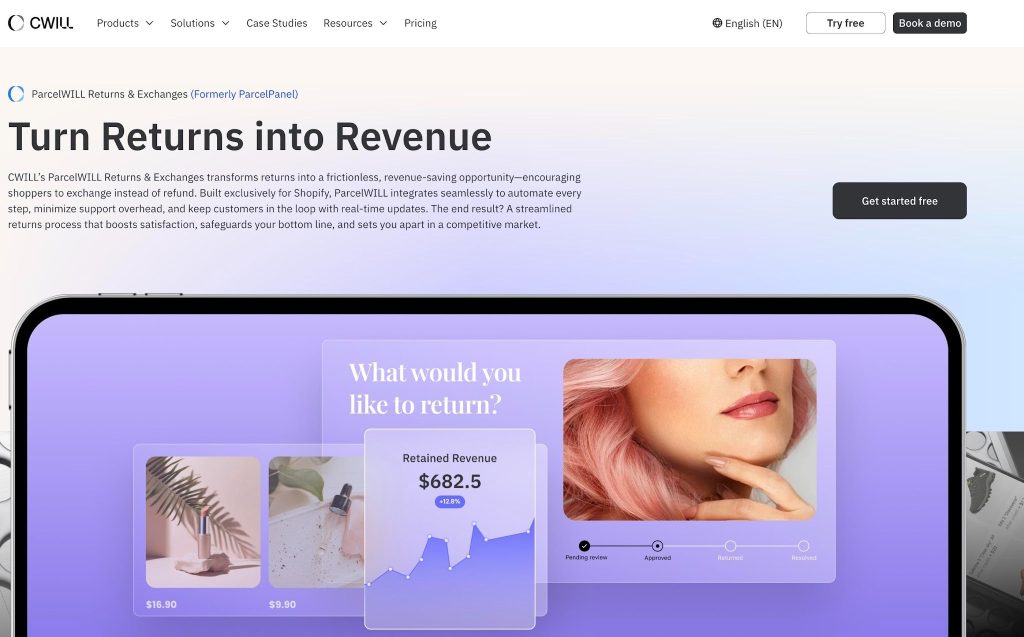
It gives you an option to connect to USPS and other popular carriers. This app also supports QR code returns and standard return label options.
ParcelWILL is made for Shopify users, so every return and exchange status will sync in real-time. It’ll be easy for you to monitor all returns (whether it’s successful, ongoing, or needs attention).
And of course, your customers will get a branded return page and automated notifications. Communication is important (especially in sensitive moments like this), and the app helps you not miss key updates.
Final Thoughts
USPS Label Broker takes the printing requirement out of returns completely. Your customer gets a QR code, heads to their nearest USPS location, and that is all they need to send something back.
And since the labels are prepaid, the cost side is already covered, too. Together, they remove most of the reasons customers give up on a return before it even starts.
The right setup makes all of this run on its own. So, if you’re ready to simplify your return workflow more, install ParcelWILL Returns & Exchanges today.
FAQs About USPS Label Broker
Is USPS Label Broker the Same as a QR Code Return?
Not exactly, but USPS Label Broker does use a QR code as its main method. Just to be clear: QR code return is a general term that applies to all returns using a scannable code. Meanwhile, Label Broker is a specific USPS service where the QR code retrieves a prepaid label stored in USPS’s system.
Do Customers Need a Printer for USPS Label Broker?
No, customers don’t need a printer for USPS Label Broker. They just have to bring their QR code or Label Broker ID to a partner post office. Then, a USPS staff member scans it and prints the label for them. Some locations even have self-service kiosks where they can do it themselves.
What Is a Label Broker ID?
A Label Broker ID is an 8 to 10-character alphanumeric code that corresponds to your customer’s prepaid shipping label. Think of it as the backup to the QR code. If the QR code does not scan properly at the counter, the customer can just enter this ID manually instead.
Is the USPS label Broker free to use?
Printing through USPS Label Broker doesn’t cost any extra fee. Customers just bring their QR code or Label Broker ID to any USPS location with Label Broker at the counter and get it printed (at no charge). But keep in mind that the return shipping cost is still prepaid by you, the merchant.
If your customer would rather have the label mailed to them directly, USPS Label Delivery Service can do that for around $1.65 per label.

Content Specialist
I’m passionate about creating SEO-friendly content that also resonates with readers. I take data and insights and turn them into actionable, practical ideas. My mission? Helping websites drive organic traffic and grow sustainably.