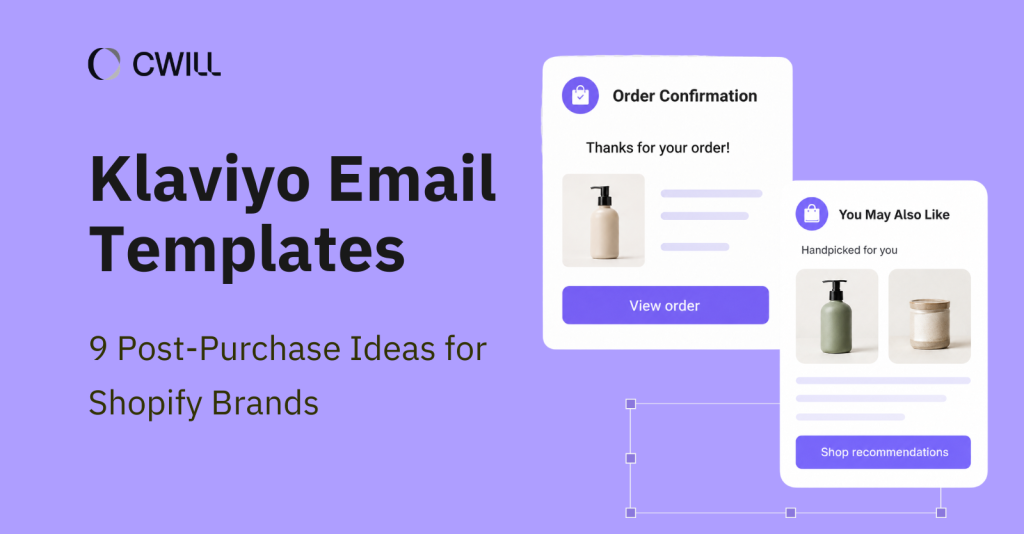
Post-purchase emails help you continue the customer relationship after checkout. They can build customer loyalty and bring repeat purchases for your brand. But to create effective emails, you need access to well-designed templates.
In this article, we’ll show you the 9 best Klaviyo post-purchase email templates you can use. We’ll also share the right timing for each and what they should contain to make them more effective.
What Are Klaviyo Post-Purchase Email Templates?
Klaviyo post-purchase email templates are editable, reusable email structures you can use for customer communication. The software gives you access to 160+ free, fully customizable, and mobile-friendly templates.
On top of that, it comes with AI features that can help you edit your content or even generate new templates on your own… but faster.
Of course, these templates should still be adjusted. You have to edit them based on the product type and customer segment and choose the right time to send them (and that’s where post-purchase flows matter).
For example, a first-time buyer should receive a different post-purchase message than a repeat customer or a buyer waiting for a delayed package.
If you customize the templates appropriately, you can create a consistent post-purchase experience that’ll be effective in getting more engagement, reviews, and even repeat sales.
What Makes a Good Post-Purchase Email Template?
A good post-purchase email template possesses these three things: a clear message, detailed customer information, and a simple layout with a strong CTA.
Clear Message Purpose
Each template should only serve one need, not three, four, or more. An order confirmation should confirm the purchase, while a review email template is for collecting feedback.
If you try to cram too much into one email, your customer might end up tuning out. There’s a chance they’ll take no action if that happens.
Essential Customer Information
Besides being clear with the purpose, you also have to match the message with the needed customer information. This is a big part of delivering a good post-purchase experience.
A shipping confirmation email (for example) should always contain the following:
- Tracking link
- Carrier name
- Estimated delivery date
- Order number
- Support contact
Missing information will definitely become a WISMO question. So, instead of making the process efficient, they’ll make it twice the work for your team.
Easy-to-Scan Layout and CTA
Your email templates should have a clear visual hierarchy that’ll reflect both on mobile and desktop. The most important details should be on top (and every piece of content must fit the email’s purpose).
CTAs should also be as clear as day. If you want your customers to check your tracking page, “View Order Status” is way better than “Learn More.”
9 Best Klaviyo Email Templates for Post-Purchase
Now you know what to look for in email templates. To help you get started faster in creating your post-purchase messages, you can use the following Klaviyo email templates below.
Each of these represents a different key stage, and we’ll share what you should include under each one.
1. Order Confirmation Email Template
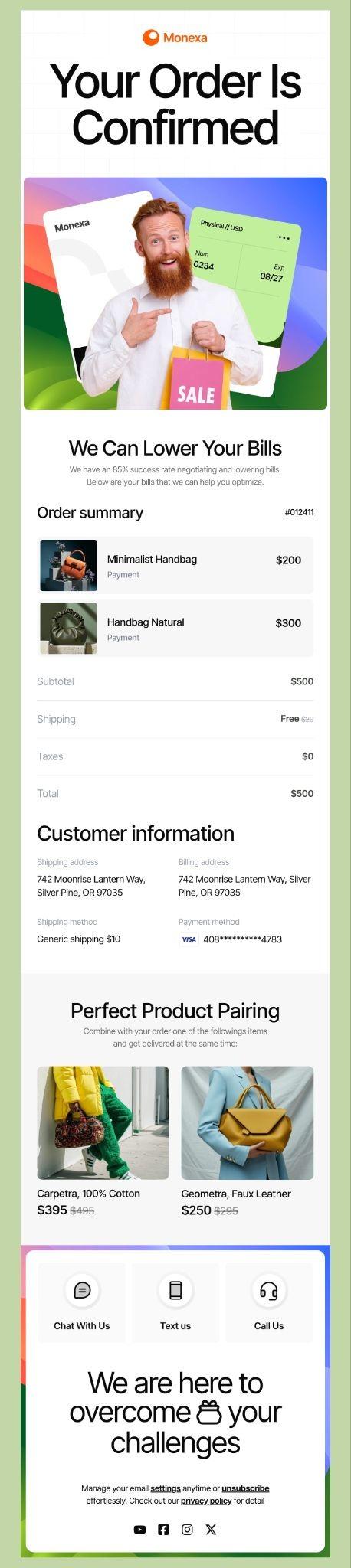
Timing: Send immediately after the order is placed
An order confirmation email is the first message that customers receive after they check out an item. It usually includes a simple “thank you” note and an order summary. Most order confirmation emails use clear CTAs like “Track Order Status” or “View Order.”
These emails usually contain the order number, itemized product list, shipping address, and customer support link. You can also add a simple “what happens next” note (like when your customers can expect shipping updates).
The order confirmation email is important for all customers, but more so for first-time buyers. It reassures them that their order went through successfully. That’s why it’s important to send it as quickly as possible.
Since this is more transactional, we recommend that you keep it direct, concise, and only about the order details. It’s best to avoid heavy promotions that can affect the “main purpose” of the email.
2. Thank You Email Template
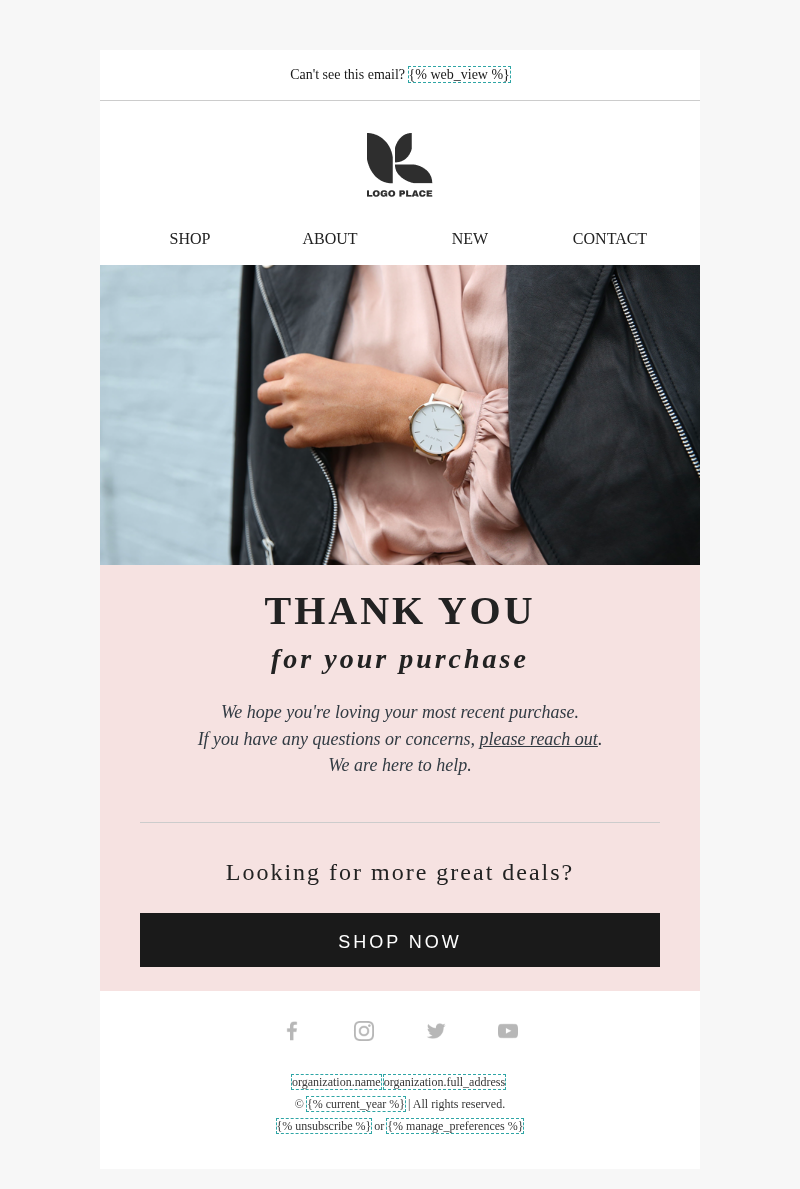
Klaviyo Post-Purchase – Thank you
Timing: Send 1-2 days after confirming the order
The thank-you email comes after the order confirmation email. It’s sent to leave a good impression on your customers and convince them that they made the “right choice.”
It often starts with a “warm” message from the team or from the founder. Some brands also include a short brand story or community invitation. Links to helpful resources like how-to guides or blog posts related to the product and customer support contact have a place here.
As for the CTAs, go for low-pressure ones, such as “Learn More About Us” or “Explore Product Tips.”
Remember that thank-you emails are for relationship-building, so keep your tone warm… and your content light.
3. Klaviyo Shipping Confirmation Email Template
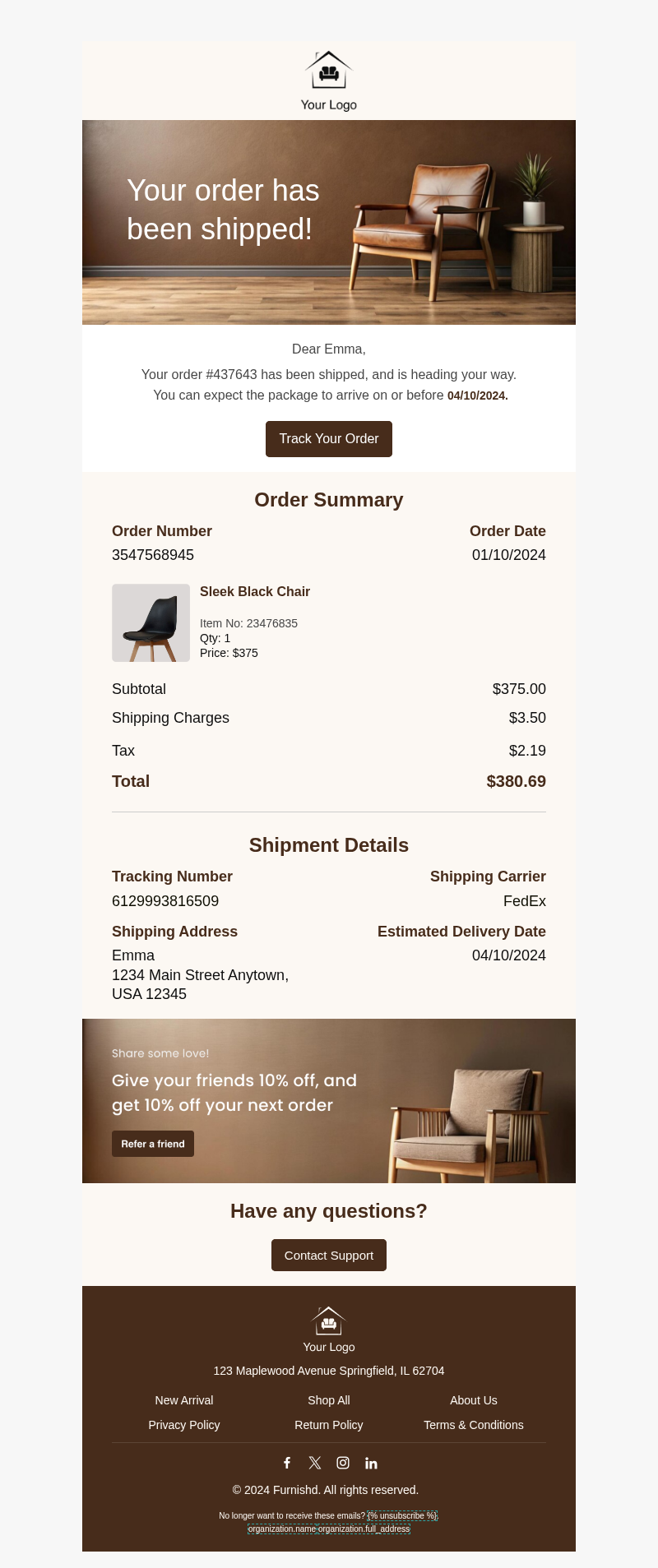
Klaviyo – Shipped Order Confirmation
Timing: Send immediately after the order ships
A shipping confirmation email gets sent once the order is on its way to your customer. It should contain all the important shipping details:
- tracking link
- shipping address
- carrier name
- current shipping status
- order number and summary
- estimated delivery date
Besides the shipping information, a simple reassurance message and a support link where they could send WISMO questions should also be added.
Using “Track Your Package” or “Check Order Status” as CTAs and linking them to your branded tracking page will help you keep the engagement inside your brand’s space and will also give you more control over what your customers will see.
Along with order confirmation, this is one of the most opened and read emails in the post-purchase flow. And while it’s a transactional email, you can add a quick promotional section (like a referral program discount) to take advantage of that.
Make sure that the tracking link and shipping details are placed on top, somewhere your clients can access them easily. And that everything is accurate to avoid any errors and confusion on your customer’s part.
4. Delivery Confirmation Email Template
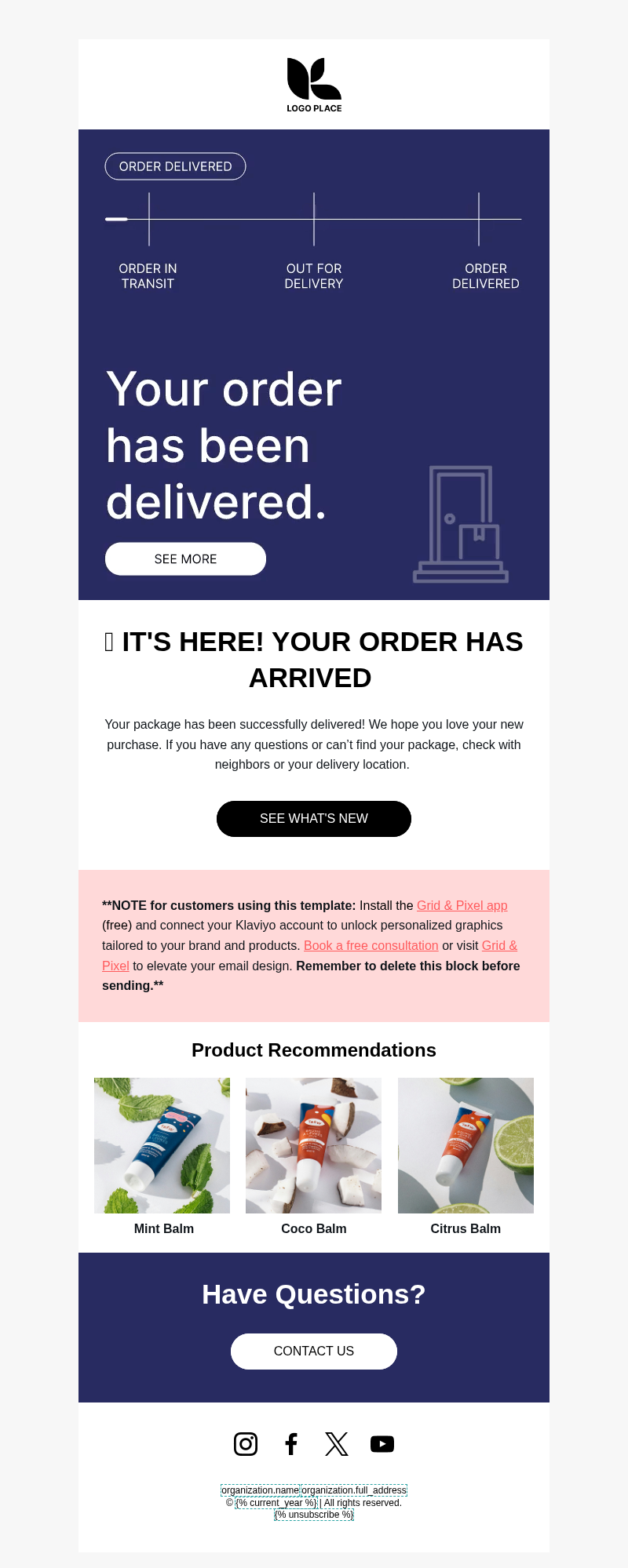
A delivery confirmation email confirms that the package has already arrived (or marked as “delivered” by the carrier).
Delivery confirmation message and delivered date should be included here. And since some customers may receive a damaged product or not get their package at all, a “Did everything arrive safely?” or “Have questions?” section with clear resolution instructions is required here. For the CTA, a simple “View Delivery Details” or “Get Product Help” will work.
Now, once you check all that and you want to add more content, some great options are a care guide, product recommendations, loyalty program reminder, or a review prompt.
This email serves as a “transactional and retention” email. You need to make it informative and helpful for customers, but it’s also a great moment to naturally invite them to continue the interaction… even after they got the product.
5. Usage Tips/Educational Email Template
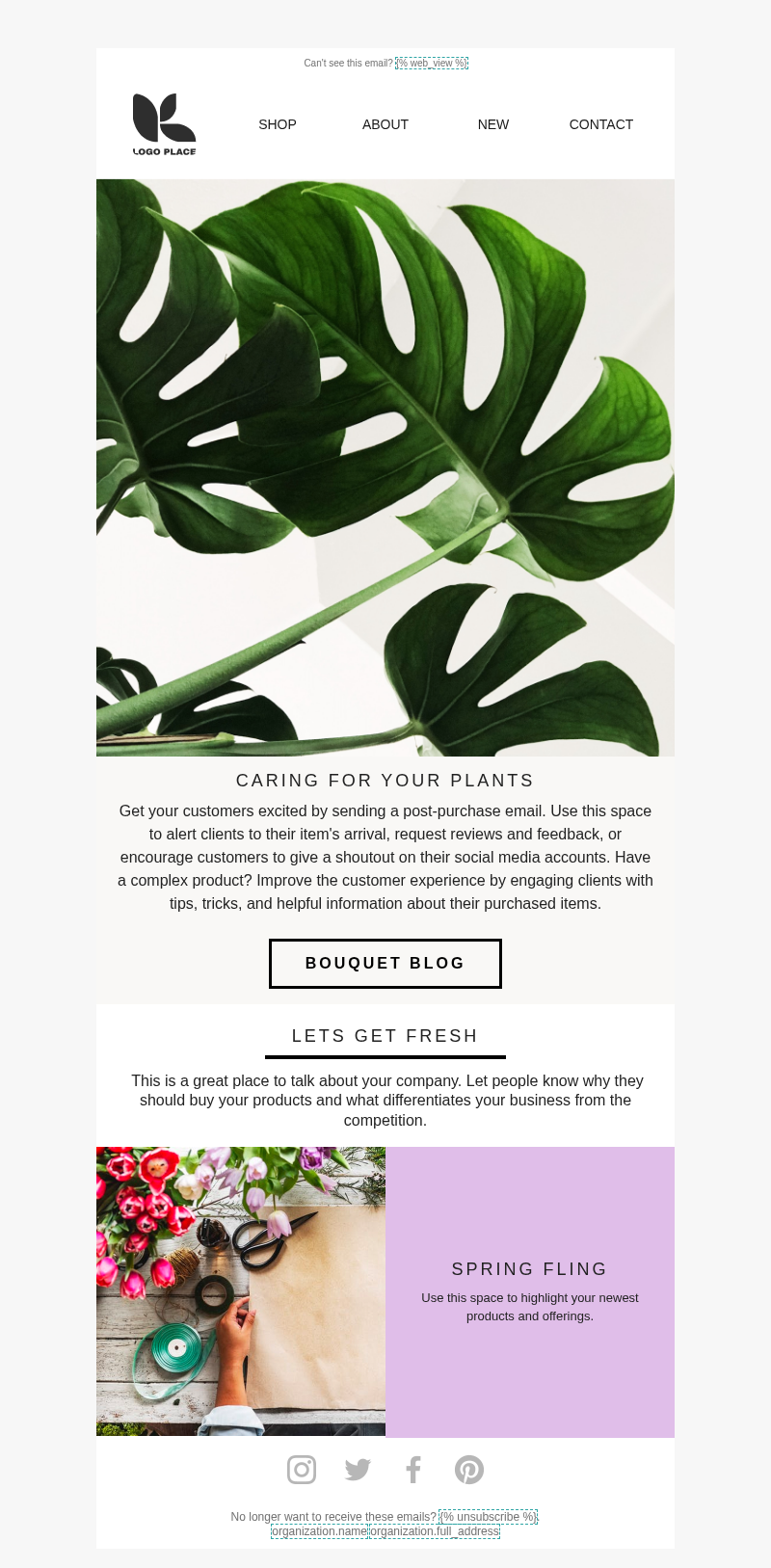
Timing: Send 1–2 days after delivery
If your product needs extra care or you want your customers to maximize what it can do, sending a separate educational email is a great idea. It also shows your customers that you really care about how they experience your product and want the best for them.
Depending on your products, you can send them step-by-step instructions on:
- How to use your product
- care instructions for longevity
- recipes that they can make with it
- styling ideas
- general product education
Just make sure that your content will be specific and 100% relevant to what your customer bought.
You can also add a soft recommendation for a complementary product at the bottom, but only after the helpful content. Great CTAs to use are “Read the Guide,” “See Usage Tips,” or “Explore Care Instructions.”
6. Review Request Email Template
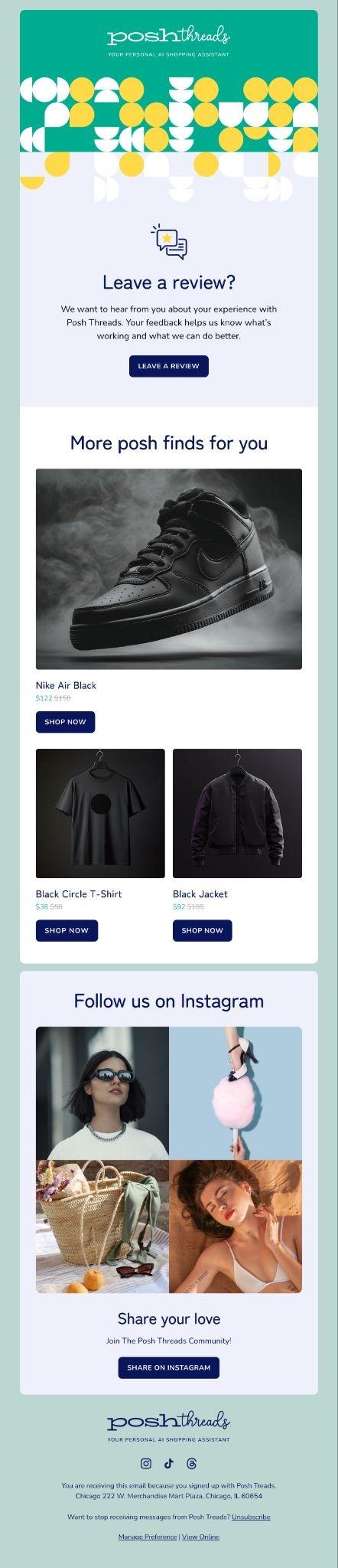
Posh Threads – Review & Recommendations
Timing: Send 7–14 days after delivery
As much as possible, review requests should be sent a few days or weeks after your customer receives the product. That way, you give them enough time to “experience” it fully.
When creating this email, make sure to provide an appreciation message once more, a quick reminder of what they bought, and a short review request with a direct link to the review page. Then, name your CTAs as “Rate the Product” or “Write a Review” as they are straight to the point.
If you want to make it more frictionless, you can include a star rating block or a one-click feedback option inside your email. Also, experiment with the timing, so you can discover the best possible time delay for your customers.
7. Feedback Request or Survey Email Template
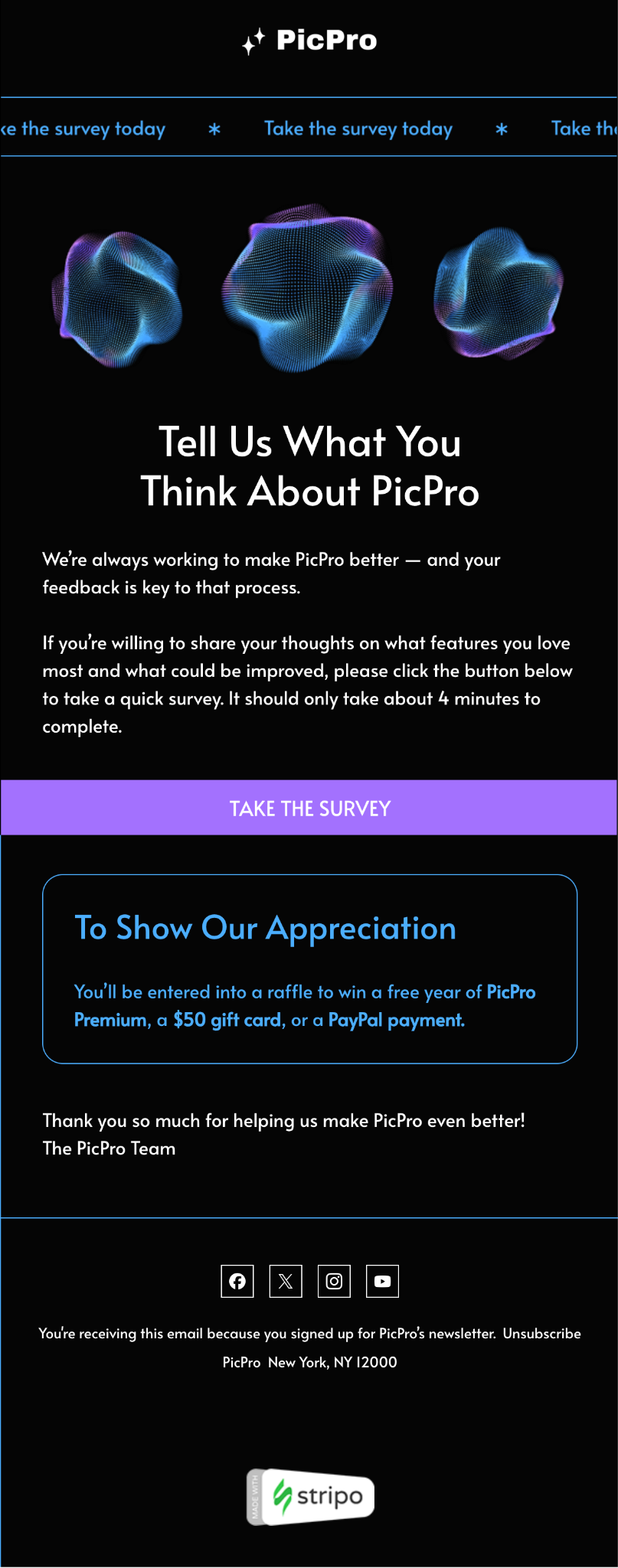
Survey and Feedback Email Template
Timing: Send 7–14 days after delivery or a few days after the review request
Compared with review requests, feedback, or survey emails, it allows you to get much more insight from your customers. It can also be about the whole experience (overall shopping experience, delivery, packaging, customer support, etc), and not just the product alone.
Since post-purchase surveys can feel overwhelming, you need to make this short and focused. If you’re going to provide a survey link, make sure to provide an “estimate” on how much time it will take to finish it.
But you can also include satisfaction questions or post-delivery feedback prompts like “How would you rate our experience with our brand?”, which can be directly added to the email. CTAs should also be as direct as possible. “Take the Survey” or “Share Your Experience” are some good ones to use.
8. Cross-Sell Email Template
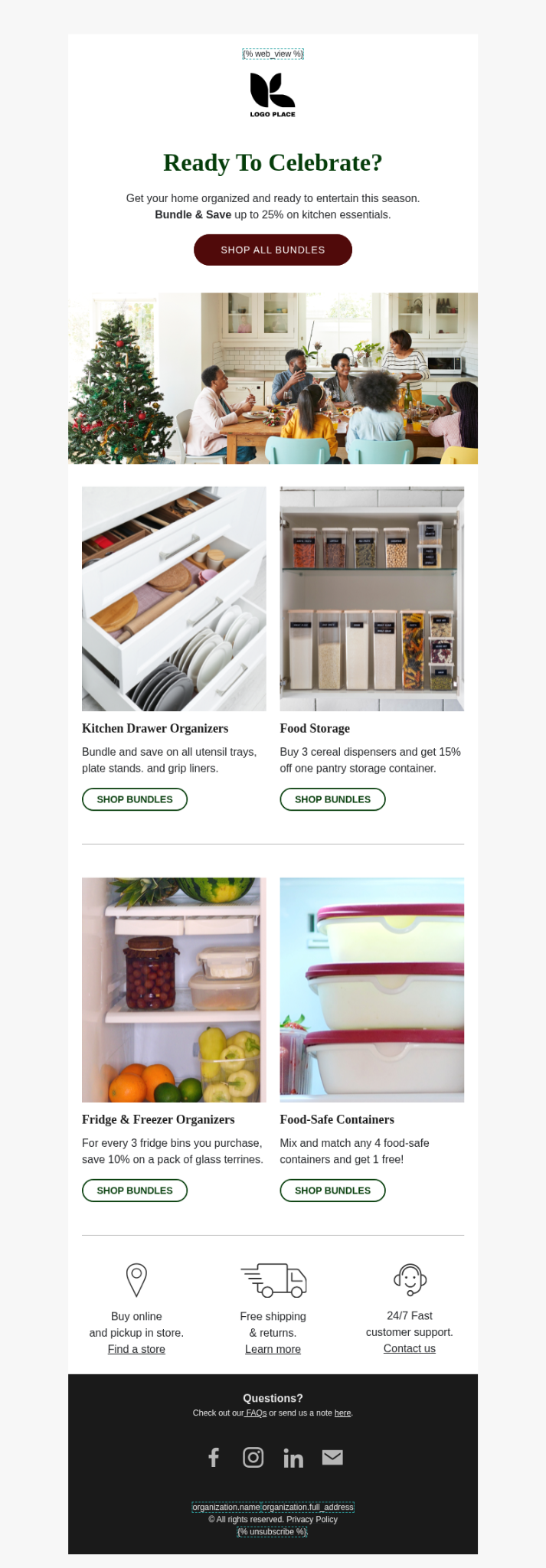
Timing: Send 3-7 days after delivery
Cross-sell email templates should contain recommended products connected to your customer’s purchase history. It can be a complementary item, personalized recommendations, or bundles.
The content should also explain why the recommended product makes sense with what they already have. Top it off with CTAs like “Shop Recommendations” or “Complete the Set” to keep the focus on relevance as well.
The usual problem that brands have with cross-sells is that they sound too pushy, and sometimes they send them too early.
You have to check your tone and timing here if you want to make it feel like “helpful recommendations.” If you find that sweet spot, you’ll be able to naturally encourage customers to go for the next purchase.
9. Loyalty or Referral Email Template

Timing: Send a day after a positive customer experience (i.e, when the item is delivered or after getting a positive review)
The last post-purchase email is the best one for customer retention or acquisition, and that’s the loyalty or referral email.
Here, you can introduce your rewards program or provide an invitation that existing customers can share with a friend. For a rewards program, you can make it more effective if you show your customers their points earned, reward progress, and the benefits they can enjoy.
Explaining how to redeem, refer, or join the loyalty program is also an important section to include here. As for the CTA, a simple “View Rewards” or “Refer a Friend” can work, but you can make your email powerful with UGC and reviews from your past customers (who joined the program).
Klaviyo Post-Purchase Email Template Best Practices
We’re done with the post-purchase emails and the templates you can use. Now, it’s time to know how you can create better ones:
1. Match Copy to the Customer’s Stage
Each template you use should “match where your customer is in the process.
A buyer who’s waiting for the order is not in the same headspace as the one who’s using it for days. So, sending a review request won’t be ideal at this early stage.
2. Use Subject Lines That Set the Right Expectations
Subject lines are the first thing your customers see (even before they open the email), so they should be in line with the content. For example, transactional emails can use subject lines “Your order has shipped” or “Your package is delivered.”
As for retention emails, you can use something like: “Your earned rewards” or “Invite a friend and get 10% off.”
3. Balance Your Brand Voice with Clarity
Your brand voice can be fun, warm, or even conversational. But you have to make sure it clearly communicates all the important details right away.
Customers opening a shipping confirmation or an order update are looking for specific details like their order number, tracking link, or delivery date, and those should never be buried under creative copy.
4. Test Layout, CTA, and Message Length
Testing your mobile layout, CTA placement, content length, and visual hierarchy gives you real answers.
From there, look at your open rate, click rate, conversion, and unsubscribe signals to see what is working. Often, you just need to make small changes (CTA, content, or layout change) to a template to improve its performance.
Common Mistakes to Avoid When Creating Post-Purchase Emails
Before we wrap everything up, let’s show you some things you have to avoid to create a better post-purchase customer journey.
- Incomplete or missing details: Customers open your emails to get the information they need (or find answers to their questions). If you’re not able to provide that, they’ll surely contact your support.
- Mismatched CTAs: Your call-to-action should reflect what “next step” you’d like your customers to take. Using an irrelevant CTA can discourage them from clicking.
- Poor timing: Asking for a review before the package arrives, or sending a cross-sell the same day as the order confirmation, puts you ahead of where the customer actually is.
- Ignoring performance data: Check your metrics and customer feedback regularly (not every day, but by schedule). Because that’s the best way to know whether your post-purchase emails are working or not.
How CWILL Improves Klaviyo Post-Purchase Email Templates
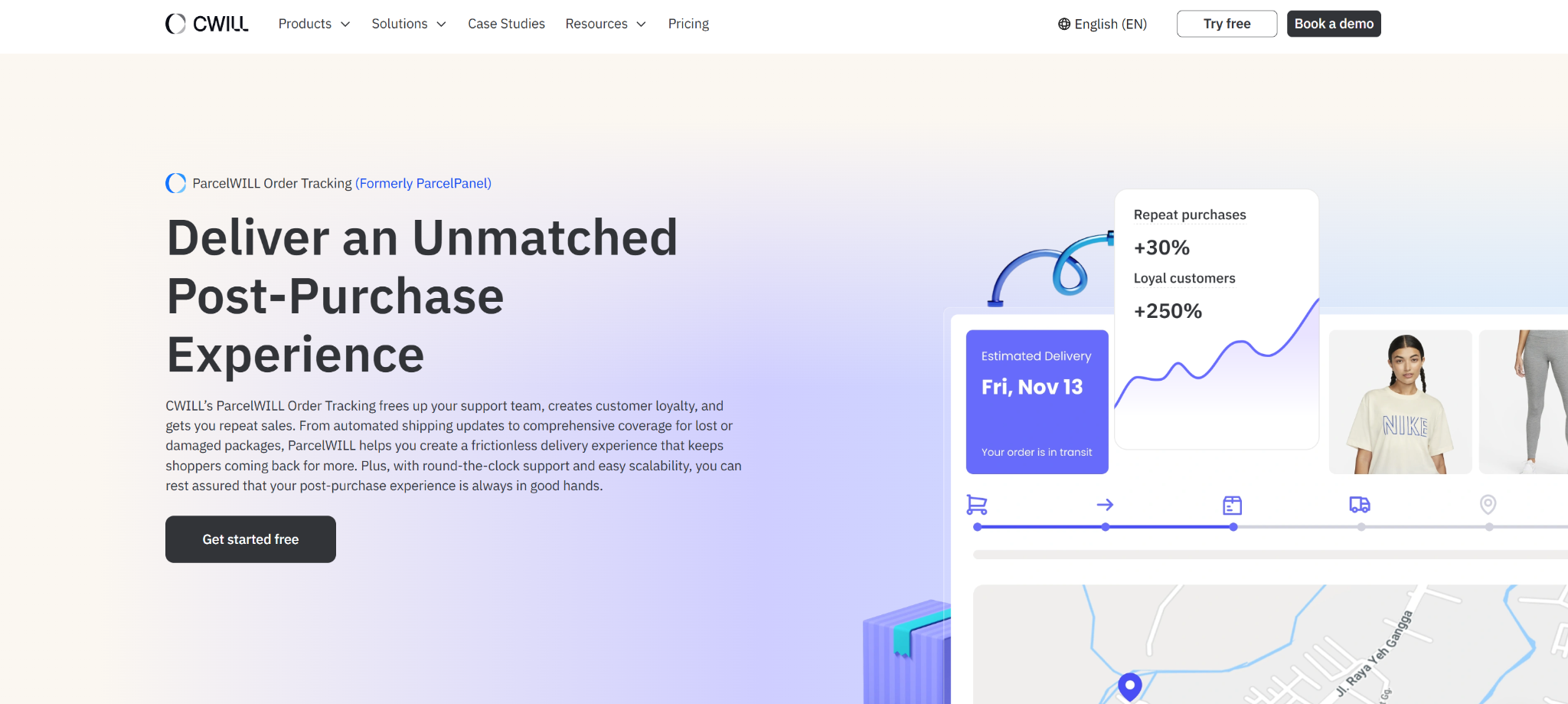
CWILL Order Tracking (formerly ParcelWILL Order Tracking) integrates so smoothly with Klaviyo post-purchase email flows and can help you create more effective email templates. Let’s look at what it can do for you:
Use CWILL Order Tracking for Shipping and Delivery Templates
Shipping and delivery confirmation are very important. And they have to be accurate.
With CWILL Order Tracking, your Klaviyo shipping and delivery templates can automatically pull in real-time data like tracking links, carrier names, expected delivery dates, and last checkpoints.
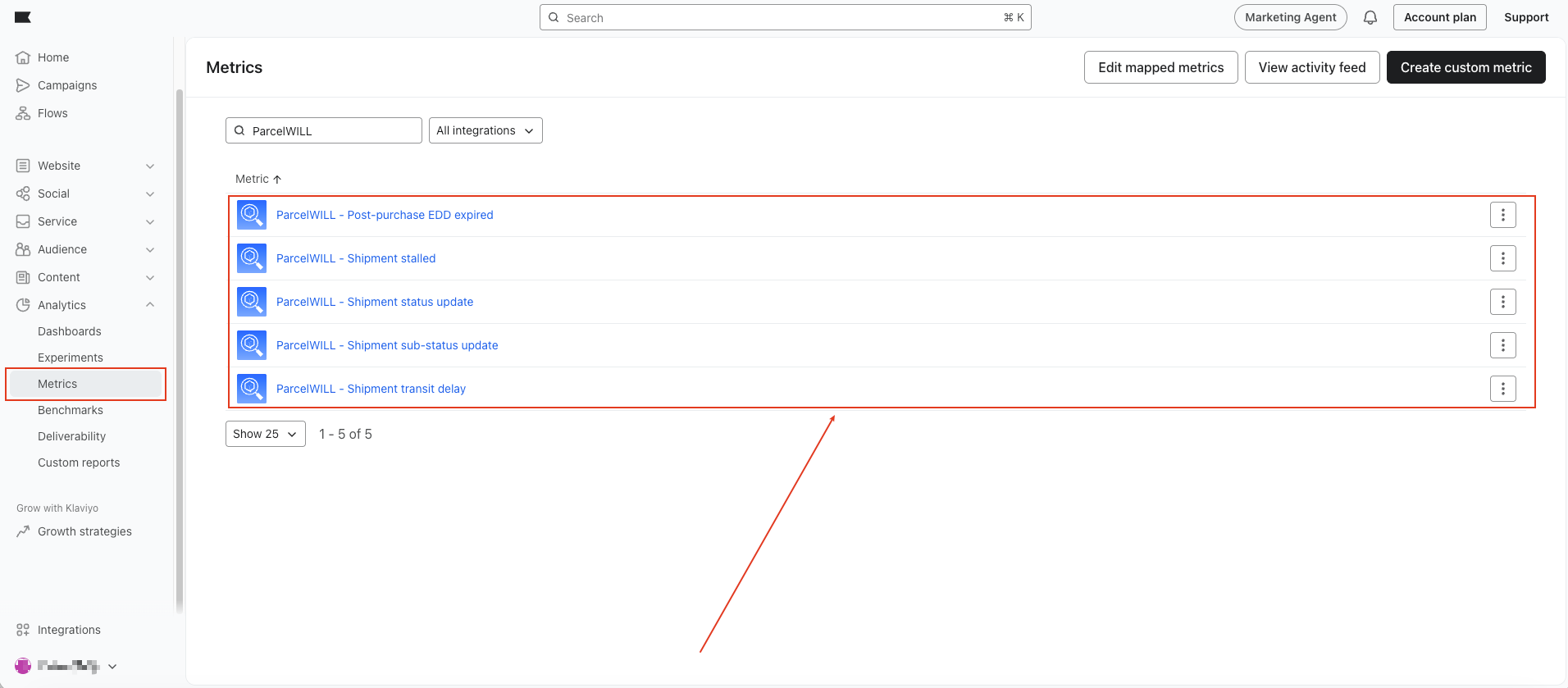
You can also set up triggers for specific logistics events. For example, the “Shipment stalled” metric can automatically send an email to your customer when a package hasn’t moved in more than 5 days (before they even think to contact your support team).
With that, you can be more proactive and not limit yourself to the nine email examples we provided above.
This integration also becomes more useful with Klaviyo Customer Hub, where customers can see accurate and detailed shipment progress like “In Transit,” “Out for Delivery,” “Delivered,” “Failed Attempt,” or “Ready for Pickup” directly inside the hub.
Your team can expect lesser “where is my order?” questions. That’s because customers already have the information they need in their inbox throughout the shipping process.
Final Thoughts
As you can see, post-purchase emails don’t have to be complicated. And with Klaviyo post-purchase email templates (together with Klaviyo post-purchase flows and the right post-purchase software), you can build a post-purchase strategy that actually works for your store.
Partner this powerful setup with CWILL’s apps, and you’ll have everything you need to improve customer retention and increase customer lifetime value with every order you fulfill.
Install CWILL Order Tracking for free .
Klaviyo Post-Purchase Email Template FAQs
What is a Klaviyo post-purchase email template?
A Klaviyo post-purchase email template is a reusable email structure you can use to communicate with customers after they place an order. It includes thank-you emails, shipping confirmations, review requests, cross-sells, and loyalty emails. You have to customize these templates to fit your brand, product, and who you’re sending it to.
What should be included in a post-purchase email?
Your post-purchase email’s content will depend on its purpose and timing.
- An order confirmation email (sent after an order takes place) needs to show the order number, product summary, and payment details.
- Shipping emails that are sent during key delivery moments have to provide tracking links and the estimated delivery date.
- A review request email, which should be triggered a few days after the customer receives the item, should provide a direct link to leave feedback.
The details may change, but each email should provide customers one clear step to take (not five).
What is the best Klaviyo email template after purchase?
There’s no single “best template” as they serve different purposes. You have to use a template that matches where your customer is (in the post-purchase journey) and what you want them to do next.
For example, if it’s right after checkout, you have to use a confirmation email template. If the product arrives, an educational email template is more useful. And after a few weeks, using a review request email or a loyalty program invitation template is ideal.
When should I send a review request email?
You can send a review request email after the customer has received the product. Make sure to provide enough time for them to use it. For most product types, 7–14 days after delivery is a good window. Asking too early might not get you any response. And a review written (without any real experience with the product) won’t be useful to you or your future buyers.
How can post-purchase emails increase repeat purchases?
Post-purchase emails can increase repeat purchases through education, loyalty benefits, cross-sells, and referral offers:
- An educational email helps customers get more out of what they bought
- A loyalty email reminds them of what they have earned
- A cross-sell recommends something that pairs well with their order
When these emails are based on what the customer actually bought and how they behaved, they feel relevant rather than random, and relevant emails are the ones that bring people back.

Content Specialist
I’m passionate about creating SEO-friendly content that also resonates with readers. I take data and insights and turn them into actionable, practical ideas. My mission? Helping websites drive organic traffic and grow sustainably.