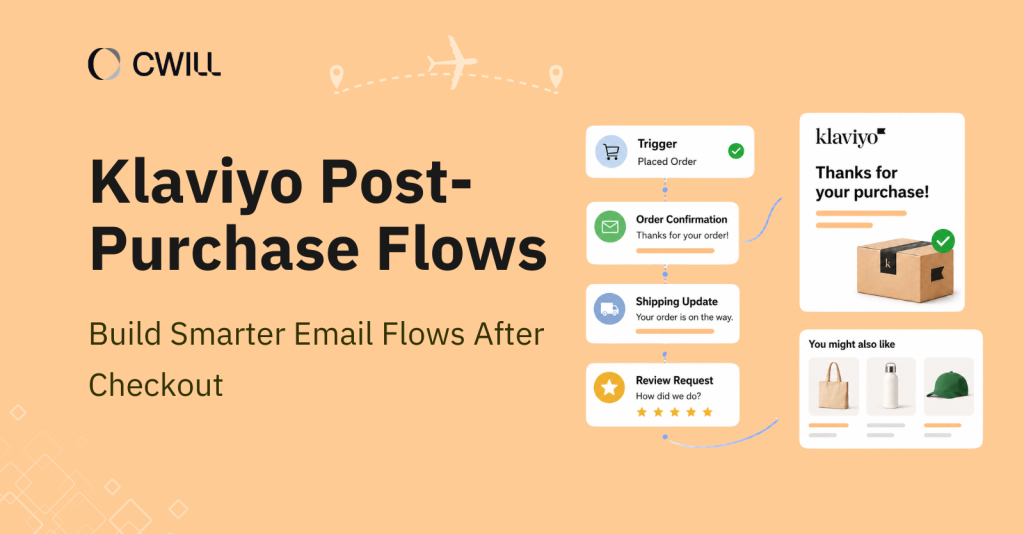
The customer journey also includes the after-sales stage for your buyers. Klaviyo post-purchase flows give you the automation you need to create a memorable and consistent experience for them.
In this article, we’ll help you get started with this Klaviyo flow for your Shopify store. You’ll learn about the right triggers to use, how to build and test your flow, real examples you can follow, and much more.
What Is a Klaviyo Post-Purchase Flow?
A Klaviyo post-purchase flow is an automated email or SMS sequence that gets sent after a customer places an order.
We’re not talking about simple confirmation emails (which are usually transactional). But these are a series of messages that are more personal and engaging to help you build a solid after-sales relationship with your customers.
Some common examples are:
- thank-you emails
- shipping or delivery updates
- review requests
- loyalty program invites
- product recommendations
In Klaviyo, post-purchase flows allow you to automate follow-up messages based on one of two things: customer actions or order events.
With this, you won’t have to send every message on your own. You can build a workflow that reaches your customers at the right moments. For example, after checkout, during delivery, and once the order arrives.
Why Post-Purchase Flows Matter for Shopify Stores
Post-purchase flows can actually help Shopify store owners improve customer experience and also increase sales.
For one, new customers want to feel confident in the item they bought (as well as the store they got it from). With confirmation and email updates, you provide that “reassurance” and earn their trust.
Since there’s transparency and proactive support, it also lessens the buyer’s remorse. The emails somehow verify that the customers’ orders went through. In return, your customer support will receive fewer WISMO questions.
Post-purchase emails also have a higher open rate (almost 17% more, according to Klaviyo) than other email automation. Because of that, you can also use them to:
- Increase repeat purchases: You can create Klaviyo post-purchase sequences where you provide discounts or loyalty reward sign-ups so your customers will have a reason to buy from your store again.
- Gather useful feedback: Social proof is the best way to attract new customers. Kissmetrics even found that products with reviews convert 270% more than those with no visible ones.
- Upselling and cross-selling: Post-purchase emails are also useful in providing recommendations and increasing customer lifetime value (CLTV).
All of these benefits are achievable with a solid post-purchase flow in Klaviyo.
Klaviyo Post-Purchase Flow vs. Email Templates
In Klaviyo, post-purchase flow and email templates are not the same thing. Post-purchase flow is the automation behind your email sequence, while email templates are the visual design you use inside each email.
When we say “flow,” we refer to the structure and logic of your automation. It controls the following:
- Trigger: The specific action that starts the flow
- Delays: How long it takes before the next email goes out
- Conditional splits: Which message (or action) a customer will be directed to based on their behavior
Email templates are what you use to create the right email content for each step in that flow. The subject line, layout, copy, and design… they are all what you can edit or create inside the template.
For this article, we’re only going to discuss the flow creation. If you want to know more about templates, read our guide to the best Klaviyo post-purchase email templates.
Common Klaviyo Post-Purchase Flow Triggers
All of the post-purchase flows you’ll create start with a clear trigger. Without it, your Klaviyo post-purchase flow might not work properly. These are the top Klaviyo post-purchase flow triggers:
Placed Order Trigger
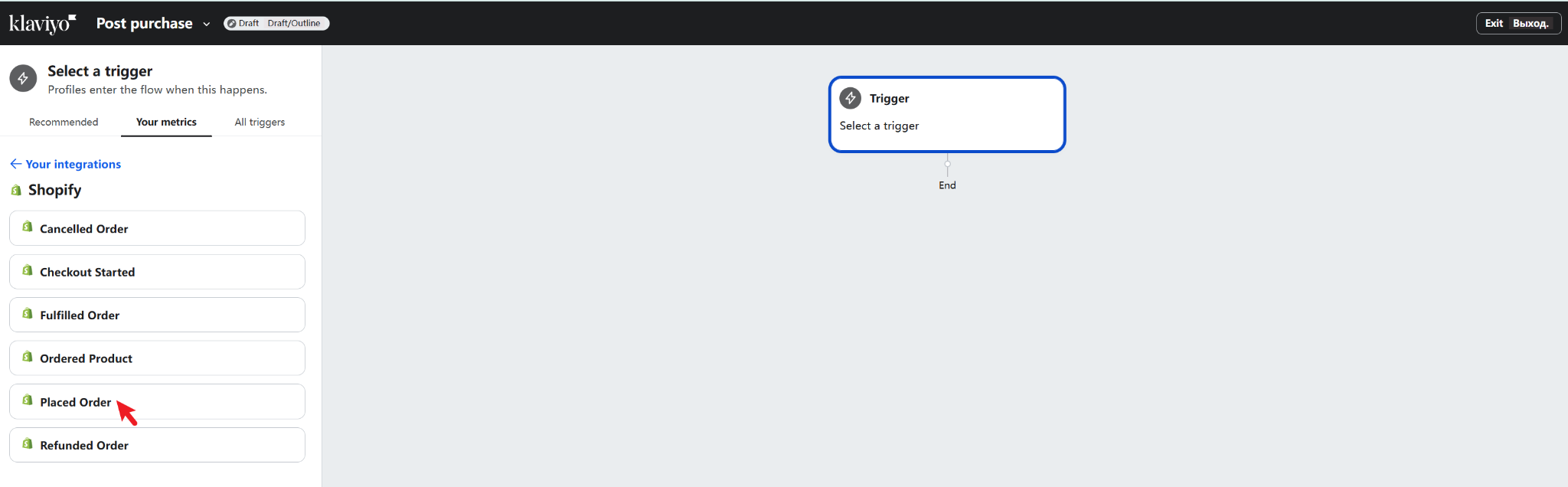
The “Placed Order” trigger is what you’ll use to start an automated flow the moment a customer completes a purchase.
Among the triggers on this list, this is the most popular, as you can use it for many post-purchase scenarios. We’re talking about thank-you emails, early cross-sells, first-purchase education, and much more.
For this trigger, time delays are very useful (i.e., waiting 5 days to send a loyalty invite after purchase) because they give your customers room to breathe.
Fulfilled Order Trigger
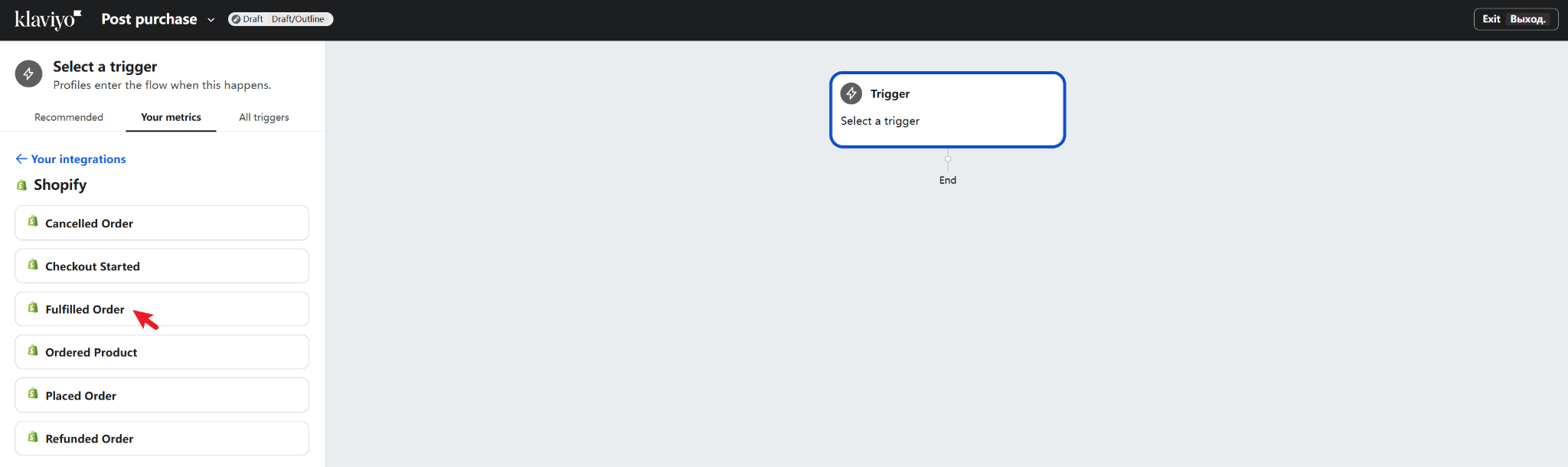
With the Shopify integration, you can also set up a “Fulfilled Order” trigger that activates once the order enters fulfillment. That includes picking and packing, handing it over to the courier, and delivery.
It’s the ideal trigger for sending shipping confirmation emails and preparatory ones, like product care instructions or a quick guide on what to expect before the item arrives.
Remember that fulfilled doesn’t always mean the item will arrive soon. So make sure that you don’t set false expectations (such as saying that the order is coming in X days) when sending messages during this stage.
Shipment Status Trigger
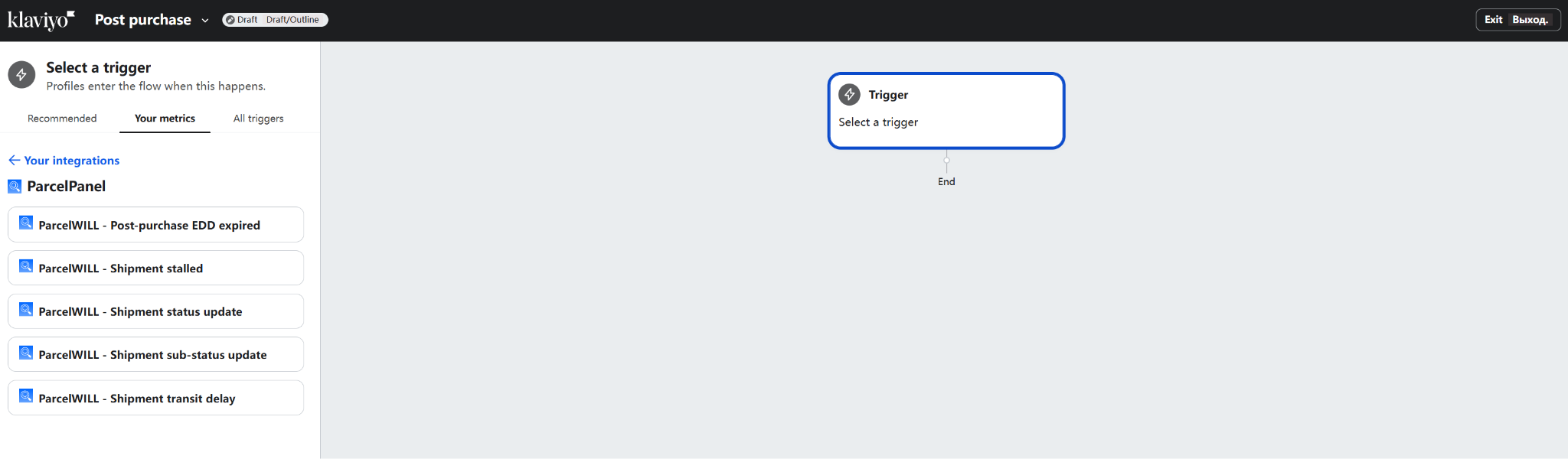
The last one is the “Shipment Status” trigger that gets activated as real logistics events happen with your customer’s package. But it’s not a native trigger inside Klaviyo, so you’ll need to connect it with an order or shipment tracking tool.
You can use this trigger for delivery confirmations, delay alerts, stalled shipments, and exception updates. Since it’s logistics-based, it’ll allow you to provide on-time and accurate updates compared to manually tracking each shipment and sending updates one by one.
Now that you know the triggers, it’s time to create your own post-purchase flow in Klaviyo.
How to Create a Klaviyo Post-Purchase Flow
Before you follow the steps, make sure to integrate your store with Klaviyo and sign in to your account. Then click the “Flows” tab -> “Create Flow,” -> select “Start from scratch,” Name the flow -> “Create flow.”
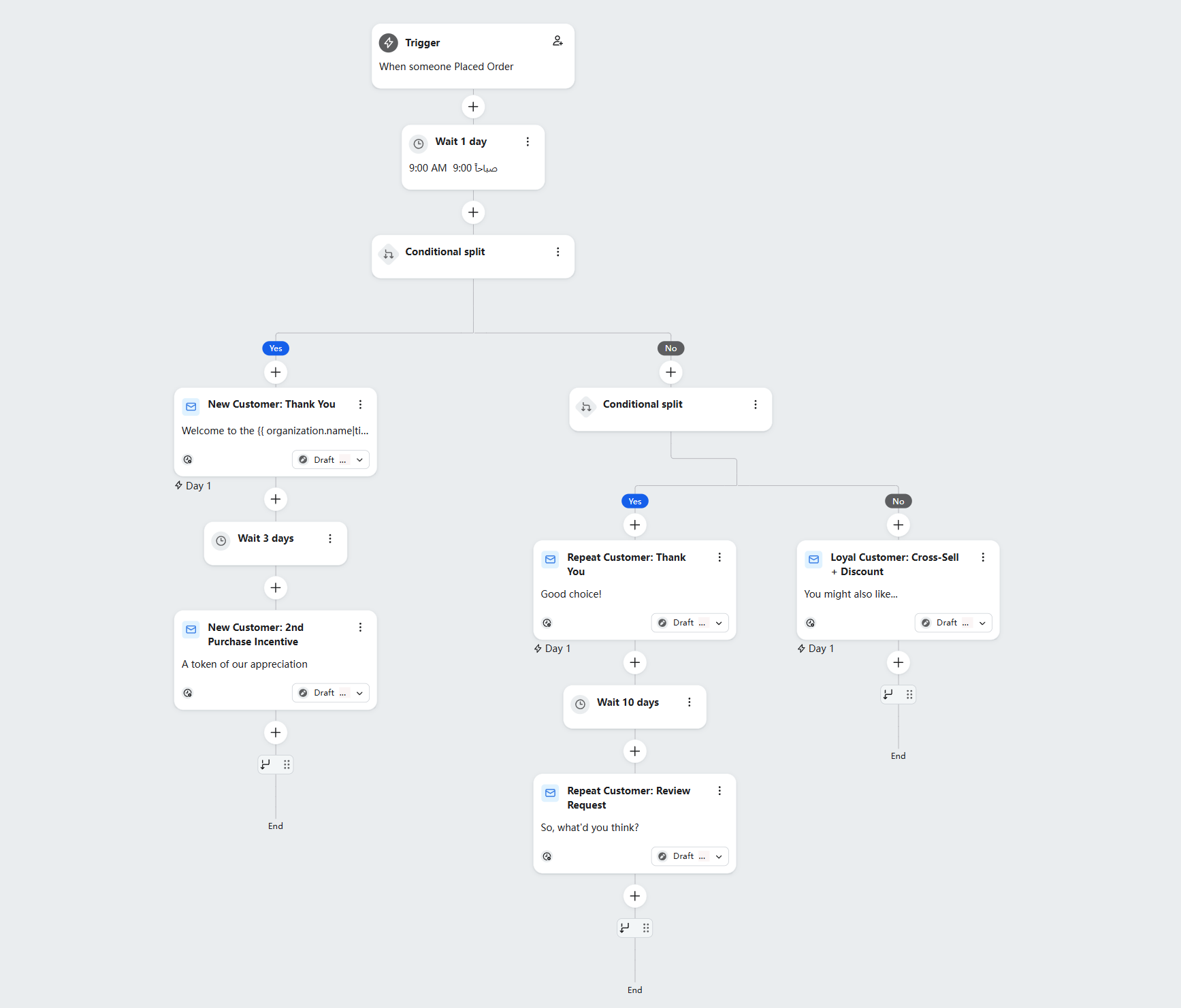
Once that’s settled, follow the steps below to create a well-thought-out post-purchase flow in Klaviyo:
Step 1: Map the Customer Journey
Everything should start with a solid “customer journey” map. If you can see the whole picture, you can prevent a messy and crowded workflow.
But how do you do that? Well, list all of the emails and SMS updates your customers need after purchase. Order confirmation is one; others are shipping updates, product usage, thank-you emails, etc.
Most of these are typically followed by e-commerce merchants, but it’s still important to know the purpose of each message… and if it applies to your brand. For example, product care tips are good, but if you’re selling food, you can skip them.
Step 2: Choose the Right Trigger
Okay. So once you’re done mapping out, it’s time to pick the trigger for your Klaviyo post-purchase flow.
The best way to do this is to match it with the goal of the message sequence. Like this:
- “Placed Order” trigger: For thank-you emails or cross-sells.
- “Fulfilled Order” trigger: To send pre-delivery emails like product care instructions or what-to-expect updates.
- “Shipping Confirmation” trigger: For sending tracking details and carrier information once the order is on its way.
- “Shipment Status” trigger: For delivery updates, delays, or exception alerts.
PRO-TIP: Use one trigger to cover one post-purchase scenario. Because if you use it for multiple ones, you might have a hard time managing your flow.
Step 3: Add Time Delays and Conditional Splits
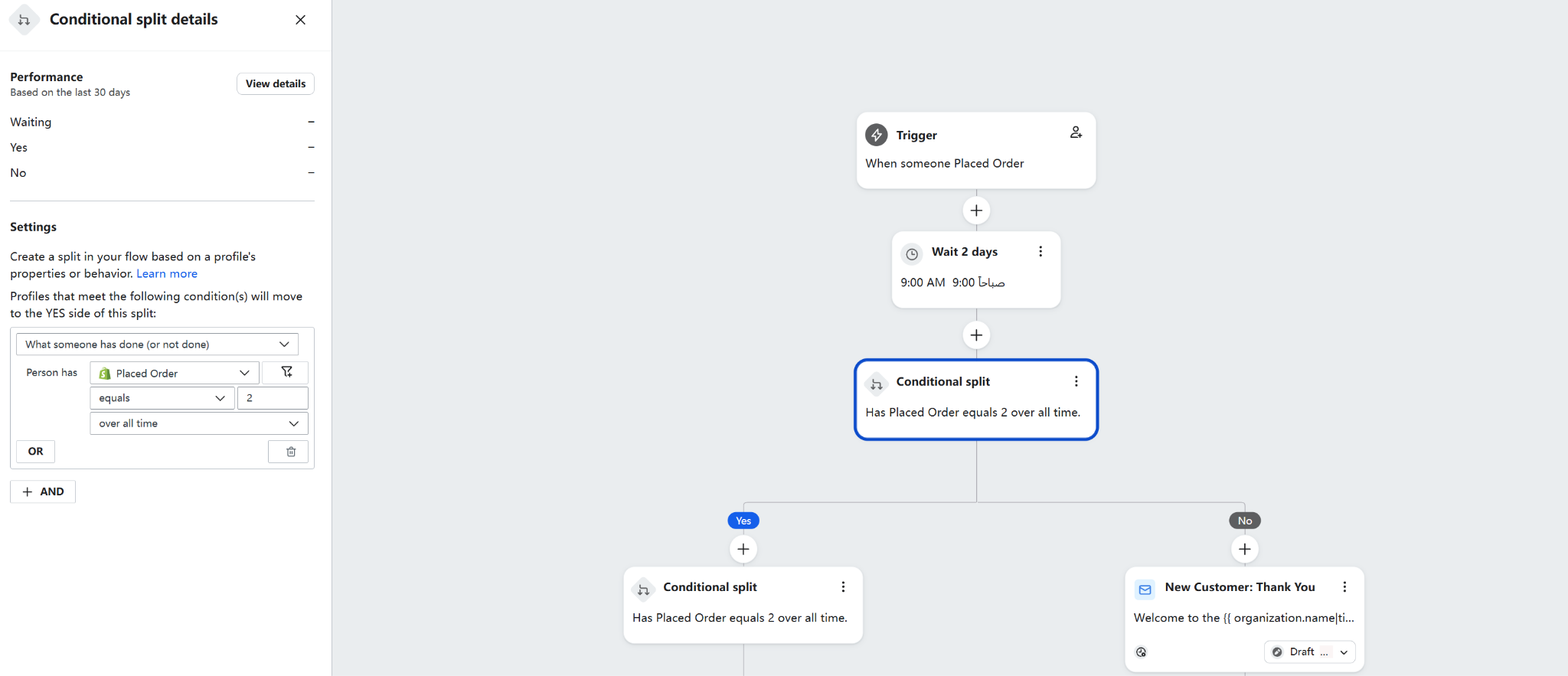
Time delays are great for adding that “space” or interval between emails. For example, you can set a thank-you email to go out right after the order confirmation. Then, send the cross-selling email 2-3 days after.
With conditional splits, you can add a deeper personalization to the automation. If you created a split based on purchase count, first-time buyers can receive a loyalty program invite while repeat customers get a VIP reward instead.
Step 4: Build, Test, and Turn the Flow Live
Of course, each campaign you create for your brand should be tested… and improved. Before making it live, make sure to “Preview & Test” each email. Links and variables should work. And if it’s an order confirmation email, make sure that the order details and tracking link or number show up correctly.
Remember that you need to double-check that everything in the flow is working: the trigger, all the emails (and content), delays, and conditional splits. Doing this step allows you to create a laudable and consistent post-purchase experience.
If you want a step-by-step instructions on how to create and schedule everything, you can check this Klaviyo post-purchase flow documentation.
Klaviyo Post-Purchase Flow Examples
If you don’t know where to start, here are some post-purchase flow examples you can follow:
1. First Purchase Welcome and Thank-You Flow
Use the “Placed Order” trigger for this flow, but set it to activate only for first-time buyers. The sequence usually begins with a thank-you message.
From there, you can set product expectations and share support resources in case your customers need help with their order.
2. Shipping Confirmation Flow
The next flow example is for sending the shipping and tracking details once they’re available. This one doesn’t have to be long. But you have to make sure to send all the right details about the order shipment: tracking link, carrier information, customer’s address, and expected delivery date.
PRO-TIP: Since this is a priority, send shipping confirmation as soon as possible and make sure the content is concise and direct.
3. Delivery Confirmation and Review Request Flow
Once your customer receives their order, you can trigger the Delivery Confirmation flow.
For the delivery confirmation email, you can send it right away. You can make it more meaningful with support links and product guidance (or care instructions).
As for the review request, set a time delay of around 5-7 days (or even longer) after the delivery confirmation email. That’ll allow your customers to have enough experience with the product.
4. Post-Purchase Survey Flow
Customer reviews are great, but setting up a Klaviyo post-purchase survey gives you more detailed feedback from real customer experience.
Another use of post-purchase surveys can also help you understand returns. It’s important to know the most common reasons behind return requests of customers so you can create a better return process (or product) and fix repetitive issues.
All the answers you get here will help segment your customers better, train your support team, and improve your product and messaging for both new and existing buyers.
5. Cross-Sell Flow
Of course, post-purchase is also a great place to push repeat purchases. The best way to do that is to check your customers’ purchase history, then create emails that show them relevant products.
Time your cross-sell flow after your customers receive their original order to make it more like helpful product recommendations. And that will help you secure more conversions (as they feel natural, not promotional).
Loyalty and VIP Program Flow
Another useful flow for sales is the Loyalty and VIP program. Here, you can introduce your customers to the “benefits” they can enjoy as a member: reward points, referral incentives, and even membership perks.
PRO-TIP: Show your customers the real products they can enjoy from your loyalty program. You might be able to motivate them faster this way.
Klaviyo Post-Purchase Flow Best Practices
The best practices we’re about to share will be more about relevance, timing, and segmentation than anything else. Because a good post-purchase flow doesn’t depend on quantity. You have to be intentional with it.
Separate Transactional and Promotional Messages
Unlike transactional emails that are 100% informational, promotional emails are used to encourage more action from your customers (like purchase, a sign-up, or a referral). Mixing these two will make your emails feel confusing and off. So, you have to create a separate flow for each.
Here’s a guide you can use:
| Transactional Emails | Marketing Emails |
| Order confirmation | Cross-sell emails |
| Shipping updates | Loyalty program invites |
| Delivery notifications | Referral incentives |
| Tracking information | Discount or promo offers |
Just imagine how your customers will feel if their delivery confirmation comes with a “Buy 2, get 1 free” banner at the top (not exactly a good combination, right?).
1. Segment New and Returning Customers
One more thing you need to separate is your new and existing customers. Their behavior and needs are just different. And if you don’t segment them, everyone ends up getting the same emails (whether it fits them or not).
For first-time buyers, reassurance and education are the most important. So they might benefit more from a welcome flow and product guidance. But for existing customers? You can direct them to loyalty programs or upsells.
2. Match Timing to the Customer Journey
Many brands create great post-purchase emails but fail to convert because their timing isn’t right. They either schedule emails too fast (even before the order arrives) or too slow.
So what should you do? For review requests, wait at least 5 to 7 days after delivery. Surveys and cross-sells can also take a bit longer, about 8 to 14 days after the reviews.
3. Avoid Email Overload
Before setting your flow live, check if your customers are already receiving a welcome series, abandoned cart flow, or active campaigns. Too many emails landing at the same time is one of the fastest ways to lose a subscriber.
Use exclusions, Smart Sending (to limit the number of emails sent), suppression rules, or flow filters to space things out.
4. Personalize with Order and Shipping Data
For the last best practice: Use order details, product data, and customer information to make each message feel like it was written for that person specifically.
You can include tracking links, carrier details, expected delivery dates, and delivery status in your shipping-related emails. The more specific and accurate your message shipping data is, the better it’ll be for customer experience.
How CWILL Improves Klaviyo Post-Purchase Flows
You can do more with Klaviyo post-purchase flows if you connect it with CWILL Order Tracking app. Here’s what you can do with this integration:
Use CWILL to Improve Delivery-Based Flows
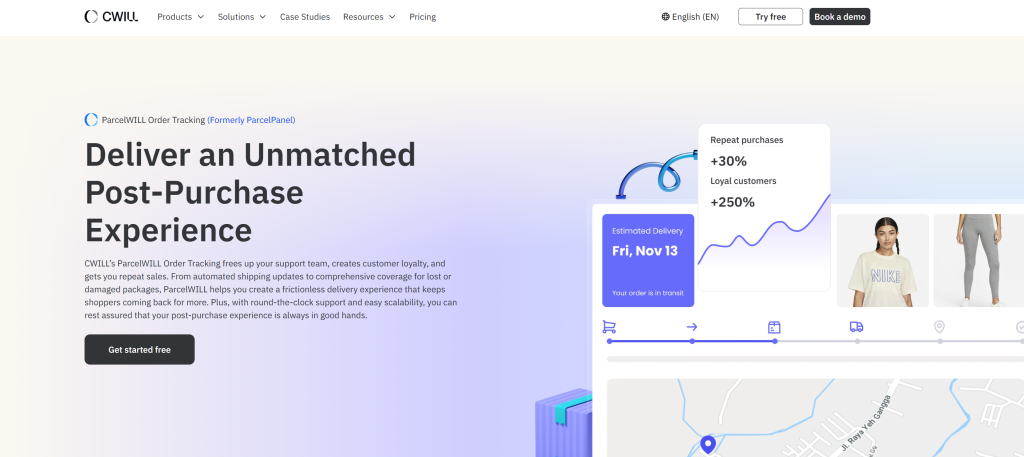
CWILL Order Tracking adds real logistics data to your Klaviyo post-purchase automation, so your emails go out based on what’s actually happening with the package.
Once connected, you can trigger flows based on shipment status updates, tracking links, delivery delays, stalled shipments, and expected delivery dates.
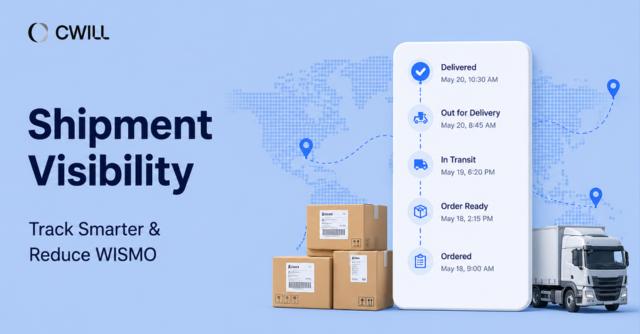
This app also connects with Klaviyo Customer Hub. And that allows customers to see real shipment progress directly inside the hub. The progress bar will show the appropriate status like “In Transit,” “Out for delivery,” “Delivered,” “Failed attempt,” or even “Ready for pickup,” and not the usual “Shipped” status.
Plus, customers will land on your branded tracking page (under your own store domain) once they click the “Track shipment” button. That way, the post-purchase traffic will remain on your store… and not on generic carrier websites.
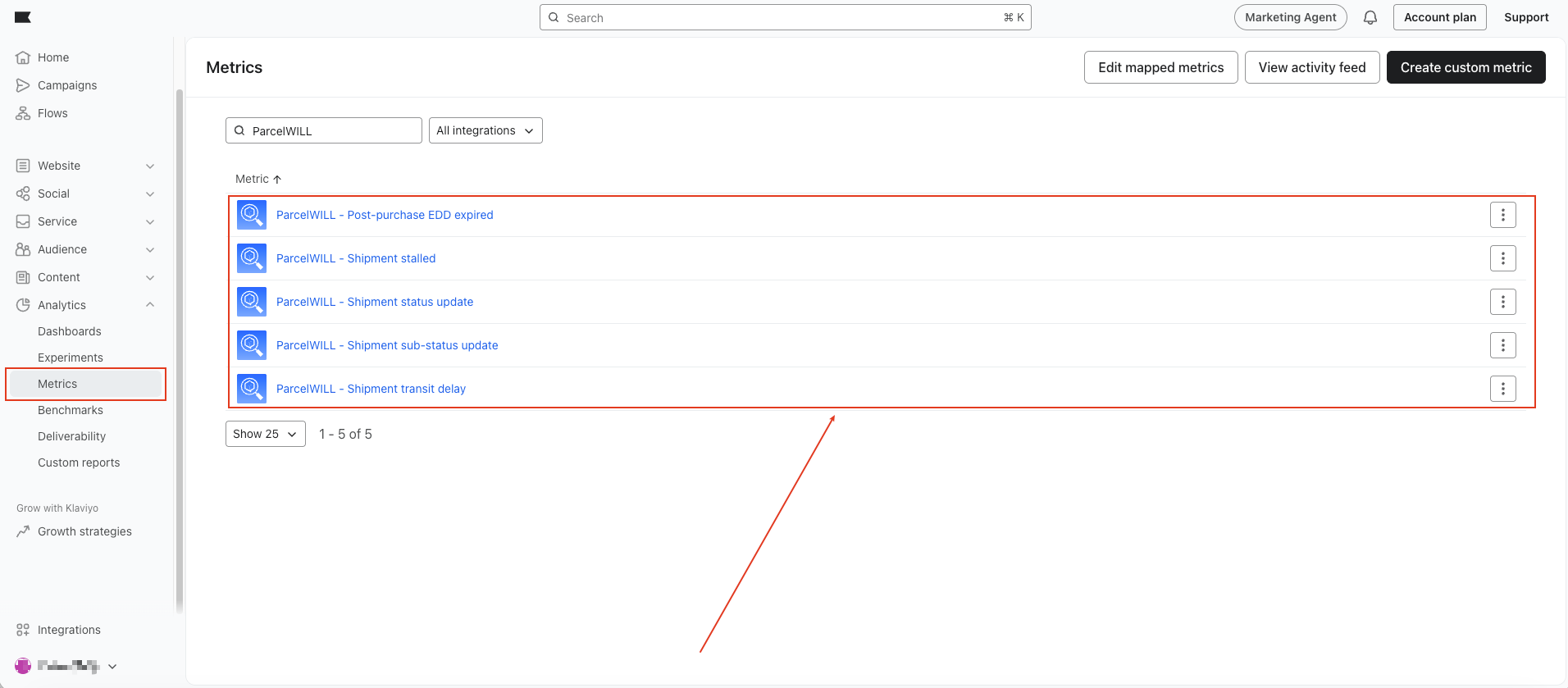
And what does that mean? Fewer WISMO questions, fewer support tickets to deal with, and more confident customers. CWILL-Klaviyo integration is a powerful duo that will upgrade your customers’ post-purchase experience.
Common Mistakes to Avoid When Creating Post-Purchase Flow
One big mistake you have to avoid with post-purchase flows is creating one generic flow for the whole post-purchase journey. Your customers won’t be on the same stage or even have the same needs at any given point.
Other common errors are:
- Poor timing (either not adding delays or making it too long between emails)
- Missing exclusions and weak segmentation (i.e., sending a loyalty invite to a customer who already joined your program)
- Too many emails crammed in one flow
If you see any of these in your current setup, make sure to fix them right away and avoid future issues.
PRO-TIP: Review your flow performance regularly. Check the metrics and talk to your customers and support team to learn which part of your automation needs improvement.
Final Thoughts
Klaviyo post-purchase flow is a powerful feature that can help you improve customer retention and drive more sales after every order.
Feel free to experiment with it, find what works for your store, and use triggers, conditional splits, timing, and segmentation to make each message count.
And if you want more accurate delivery updates and better retention tools, the best thing to do is connect with CWILL—a post-purchase software built to help you do exactly that.
Klaviyo Post-Purchase Flow FAQs
What is a Klaviyo post-purchase flow?
A Klaviyo post-purchase flow is an automated sequence of emails or SMS messages that go out after a customer places an order. It can include order updates, thank-you emails, loyalty prompts, and review requests. Each message should match where your customer is in their journey.
How many emails should a post-purchase flow include?
A typical Klaviyo post-purchase flow includes about 3–5 emails. It’ll depend on the product type, buying cycle, and customer journey. Most brands start with a thank-you email, then add product guides or delivery support. After that, they follow up with a review request, cross-sell offer, or loyalty invitation.
Can Klaviyo send shipping confirmation emails?
Yes, Klaviyo can send shipping confirmation emails if you set the right trigger and the data source is in place. For more accurate updates, it’s best to integrate Klaviyo with an order or shipment tracking tool like CWILL.
How can I improve my Klaviyo post-purchase flow?
You can improve your Klaviyo post-purchase flow by working on your timing, segmentation, personalization, and conditional split logic. From there, review your exclusions, Smart Sending settings, and overall flow performance regularly. Adding shipping data also helps, since real shipment events make your automation more accurate and your updates more relevant to customers.

Content Specialist
I’m passionate about creating SEO-friendly content that also resonates with readers. I take data and insights and turn them into actionable, practical ideas. My mission? Helping websites drive organic traffic and grow sustainably.