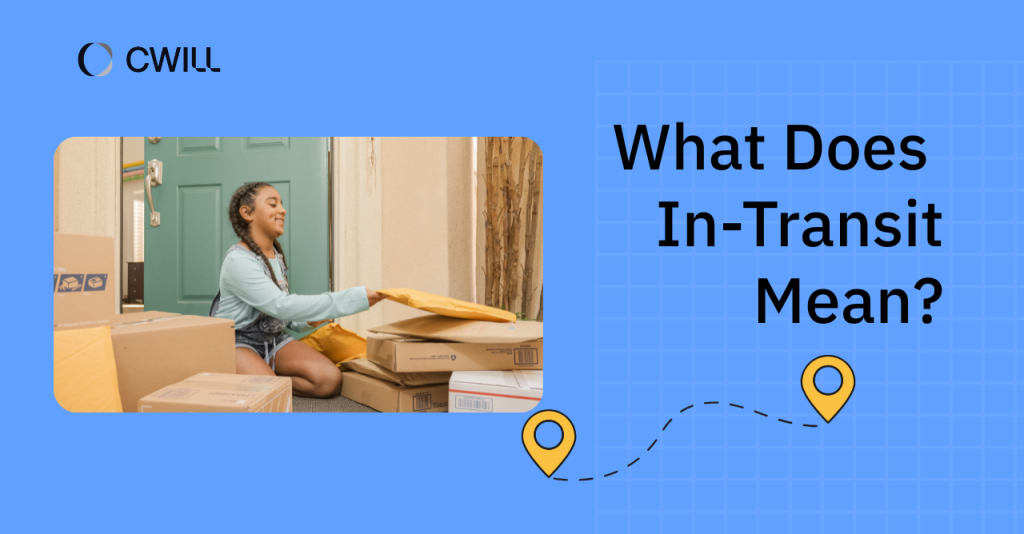
Learning what ‘in transit’ means benefits you more than you think. It directly affects how you handle WISMO tickets and sets the right expectations for your customers.
It’s one of the most common shipping statuses used on an online store’s tracking page or a carrier’s website. But even though many people are familiar with it, it’s still often misinterpreted.
In this article, we’ll cover the true meaning of “in transit”, the reason packages get stuck in this status for days, and what you and your team can do about it.
What Does “In Transit” Mean?
“In transit” is a delivery status that means the package has left the online store’s warehouse and is moving within carrier checkpoints or facilities.
Just to make it clear, it doesn’t mean that the package will be delivered soon (like today or the next day). Yes, it reflects progress on the shipment, but being “in transit” isn’t equal to “out for delivery.” More on this later.
Another thing: packages with “in transit” status don’t mean that they are currently in a delivery vehicle. It covers even the periods where the package is at a local hub… or being sorted before it gets loaded and moved again.
Some popular carriers use “in transit” as their default status. So, it’s easy to know it on your and your customer’s part. Others use different terms, but the main context is still there. Here are some examples:
- DHL Express: “In Transit” or “In Progress”
- Royal Mail: “In Transit”
- FedEx: “On the Way” or “At a Local FedEx Facility”
- USPS: “In Transit” (but can also be very specific, like “Arrived at USPS Facility” and “Departed USPS Facility)”
- UPS: “Shipped” or “On the Way”
Below the status, you’ll see where and when the scan happened. Let’s say one customer ordered a winter gear set from your online store, and you partnered with USPS for the delivery. You may see something like this on your carrier’s dashboard:
In Transit to Next Facility
Memphis, TN March 12, 2026, 4:21 AM
Learn more: Pre-shipment and Pre-transit meaning
Where “In Transit” Fits in the Shipping Journey
“In transit” is part of the central stage of the shipping journey.
Every online order follows this basic path: order confirmation, order processing, picking and packing, package handoff, carrier transit, and (finally) last-mile delivery. Tracking statuses like “in transit” officially start after the carrier receives and scans the package.
From there, the package travels through the following:
- Origin facility: It’s where the package “enters” the carrier’s network. It can be the local post office or fulfillment center where you handed it off.
- Hub: A sorting location where packages are grouped and redirected for their next stop. Often, shipments pass through several hubs to reach the final destination.
- Final destination: This is the last delivery point, and it’s usually the customer’s home, office, … or a nearby pickup location.
The “in transit” stage is actually the longest and one of the most complex parts of e-commerce logistics. That’s because it includes multiple sorting, scanning, and handoffs between facilities.
We love comparing it to a relay race, as each facility passes the baton to the next one until the package reaches the finish line.
In Transit vs Shipped, Out for Delivery, and Delivered
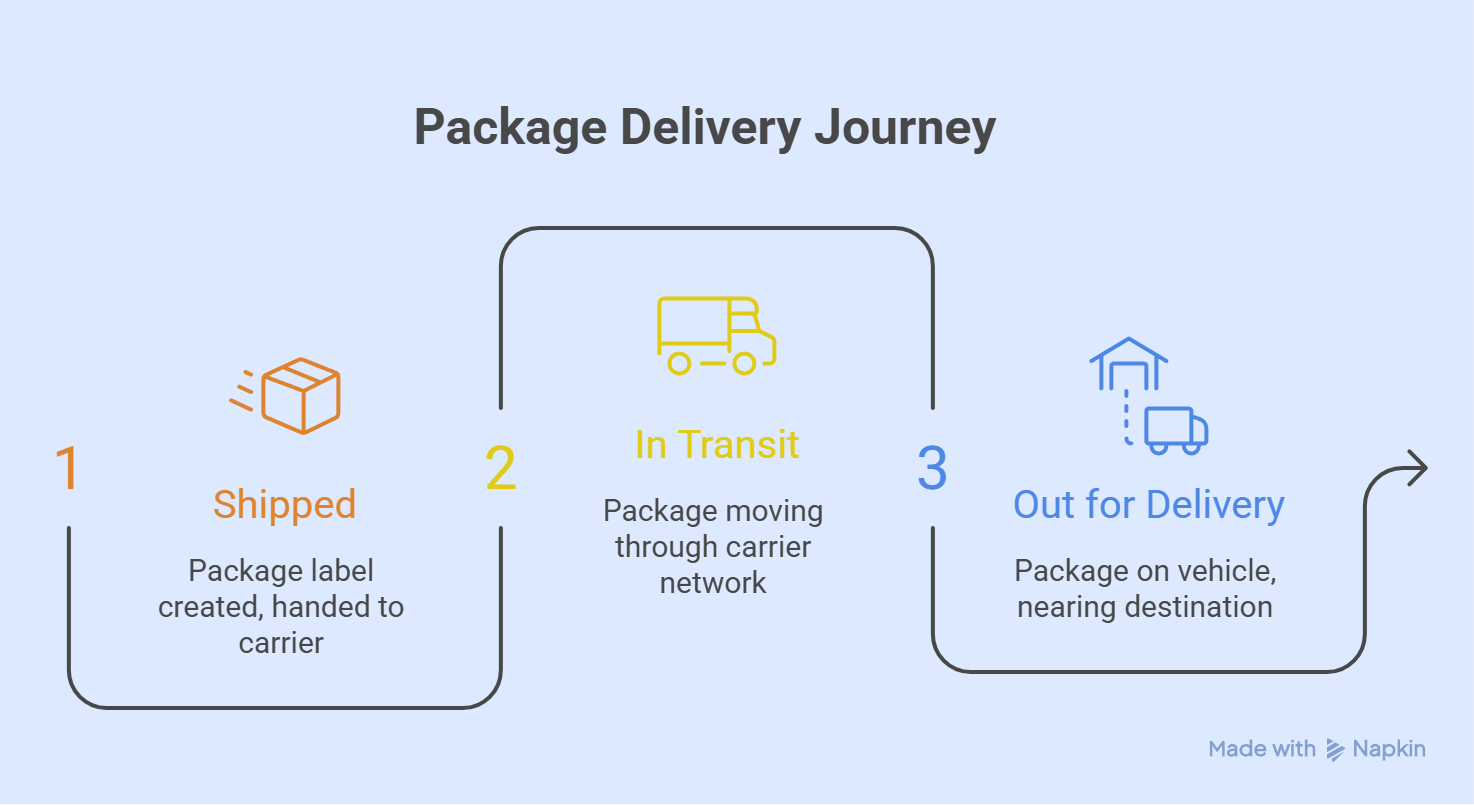
In Transit, Shipped, Out for Delivery, and Delivered are used in different stages of the delivery journey.
“Shipped” is a part of the transit stage. In fact, some carriers (like UPS) use them interchangeably. But “shipped” only covers the starting point of the transit process, where the shipping label has been created… and it’s passed on to the carrier. Once the package moves, that’s already “in transit.”
With “out for delivery” and “delivered,” “in transit” is 100% different.
“Out for delivery” is the final delivery. It means the package is close to the destination, and it’s already on the vehicle going to the recipient’s address. “In transit” doesn’t give that same-day delivery assurance. Of course, “delivered” status is only activated once the package is handed over to the customer. Not another carrier, hub, or facility.
They do have one similarity: all four are informational statuses. They provide your support team with transparency on the current situation of the package. Plus, allow them to decide whether to simply keep monitoring… or take action.
If the status becomes action-triggering, like “pending” or “returned,” they might have to call the carrier for updates or process a refund for the customer.
Why a Package Can Stay In Transit for Days
Your package can stay in transit for days because of sorting issues, facility congestion, operational pauses (like weekends or holidays), peak shopping events such as Black Friday and Cyber Monday sales, severe weather, and heavy traffic. These can ALL slow down the delivery process.
Linehaul movement is also a factor for international shipments. And it means the package is traveling long distances between major facilities (sometimes for hours), but with no scan points in between.
Another thing you have to note is that tracking updates are scan-based. They don’t change in real time. Often, shipments are only updated when they arrive at (and are scanned) at the next facility. So, this means a package can still be moving… while the tracking status appears unchanged.
For example, if you ship an order from Chicago to Canada and the last scan happens on a Friday, the status may not update again until Sunday night or even Monday morning due to weekend operations.
Customs Clearance and International Transit Delays
If you’re doing international shipments, you might have an idea of how customs clearance works. Packages may take a few days (around 1 to 3) there. And what does that mean? The status may show “in transit” longer.
It’s one of the reasons why international transit is slower than local delivery. For example, a domestic package from Georgia to New York might take 2 to 3 days. But that same order can take 5 to 14 days (sometimes much longer) if it’s going to France.
Plus, some issues might make the customs process even longer, like:
- Missing or incomplete commercial invoices
- Incorrect product descriptions or HS codes
- Undeclared or restricted items
- Duties and taxes that haven’t been settled
The good news is that these issues are all preventable. Simply double-checking every shipment’s documentation, declared values, and product descriptions before it leaves your hands can shorten your customers’ “waiting time.”
How Merchants Should Read Tracking Status Updates
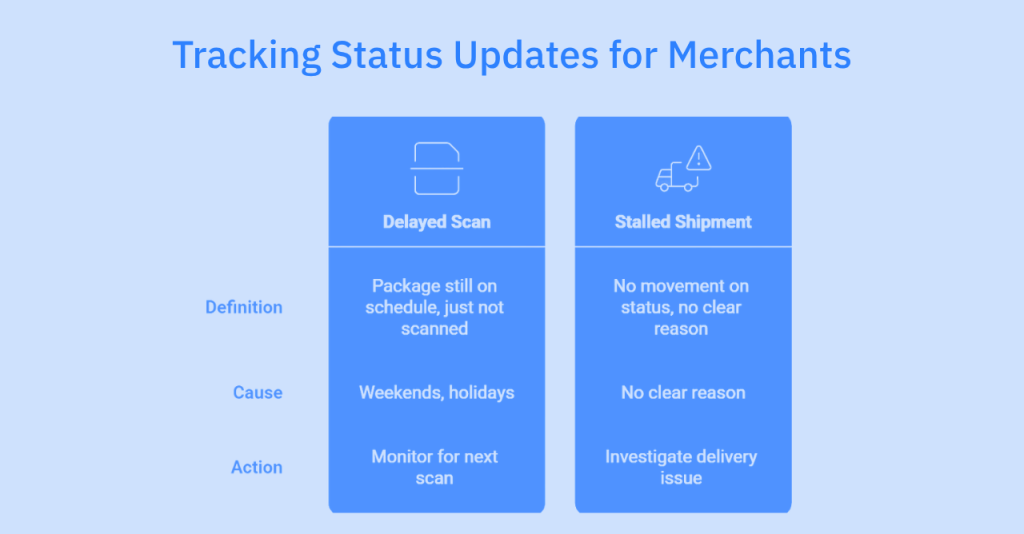
Tracking statuses are scan-based. They’re not like a GPS tracker that shows you the live movement of the package.
As a merchant, you need to check the tracking number and focus on the most recent timestamp and location. And from there, you have to know if it’s simply a delayed scan or already a stalled shipment.
Delayed scans mean packages are still on schedule, but just haven’t passed through a scanner yet. They usually happen over weekends or holidays. But stalled shipments? These show no movement on the status at all, and there’s no clear reason behind it (or at least none that you can see on your end).
If you and your support team need a guide on how long “too long” is without an update, here’s one:
- Normal gap: No new scan for 2 to 3 business days over a weekend, or 3 to 5 days for international shipments during customs clearance.
- Concerning gap: No update for 7 or more days on a domestic shipment or more than 10 days for international orders.
If you know how to distinguish a normal delay from a concerning one, you can help your team respond when there’s a real delivery issue. And not waste time on shipments that are still on track.
When an In Transit Shipment Looks Stuck
The best thing you can do when your shipment is stuck in “in transit” is to verify the status first. Check your tracking platform for the most recent scan, the location, and the service type the customer paid for. That tells you whether you’re looking at a normal gap or something that needs attention.
From there, here’s a simple way to decide what to do next:
- Wait if the gap falls within the normal threshold for that service level, 2 to 3 days for domestic and 3 to 5 days for international during customs.
- Contact the carrier if the shipment has gone beyond your internal flagging threshold with no update and no exception status showing.
- Escalate if the carrier confirms the package is lost, damaged, or stuck at a facility with no resolution timeline.
A stuck shipment needs its own response process, separate from your regular WISMO tickets. Your team shouldn’t handle both the same way.
What you can do here is create a basic workflow for your team to follow when a shipment looks stalled:
| Day (Domestic) | Day (International) | Action |
|---|---|---|
| Day 1 to 4 | Day 1 to 7 | Monitor. No action needed unless the customer reaches out. |
| Day 5 | Day 10 | Flag the order internally, check the carrier portal for any exception updates, and send the customer a proactive update. |
| Day 6 | Day 12 | Contact the carrier directly and open a trace request. |
| Day 7 and beyond | Day 15 and beyond | Evaluate whether to reship or refund based on carrier response. |
How to Communicate In Transit Status to Customers
Proactive updates are the simplest way to keep customers from reaching out to ask where their order is. Most WISMO tickets don’t come from angry customers. They come from customers who just haven’t heard anything.
What you can do is send updates at every key stage and focus on the following:
- In transit: Let your customer know the package is on its way with a delivery window.
- Delay: Be transparent with the delay, then give a revised delivery estimate. Let your customer know that you’ll also closely monitor their package.
- Exception: Tell them what happened about their package, mention the delivery exception if relevant, and what you’re doing about it (or what’s next).
- Out for delivery: Give customers a heads up that their order is arriving that day.
When it comes to delivery timing, use estimated windows and not exact dates. That way, you’re setting a realistic expectation for your customers.
Here’s what it looks like (along with proactive communication). Imagine that one customer ordered a makeup set from your store. The “in transit” status hasn’t changed for three days. Now is the “perfect time” to send an update. It can be something simple like: “Hi [Name], your order (#) is on its way and will arrive between May 12 and May 15.”
So, that customer (who was about to email your support team) already knows what’s happening and doesn’t need to reach out.
Using Order Tracking Tools to Improve Post-Purchase Visibility
Order tracking tools that support multiple carriers give your support team one place to monitor all shipments and catch delays early.
You and your support team can ditch manually checking each carrier portal one by one (we all know that’s exhausting).
They also update the statuses in real-time. Your team can see the latest situation in just a few clicks. Since they can see the exceptions before the customer notices, they can act on them right away.
Your customers can also get branded tracking pages and automated notifications to keep shoppers informed at every stage.
If you want to get all of this in one place, ParcelWILL Order Tracking is a great order tracking software option.
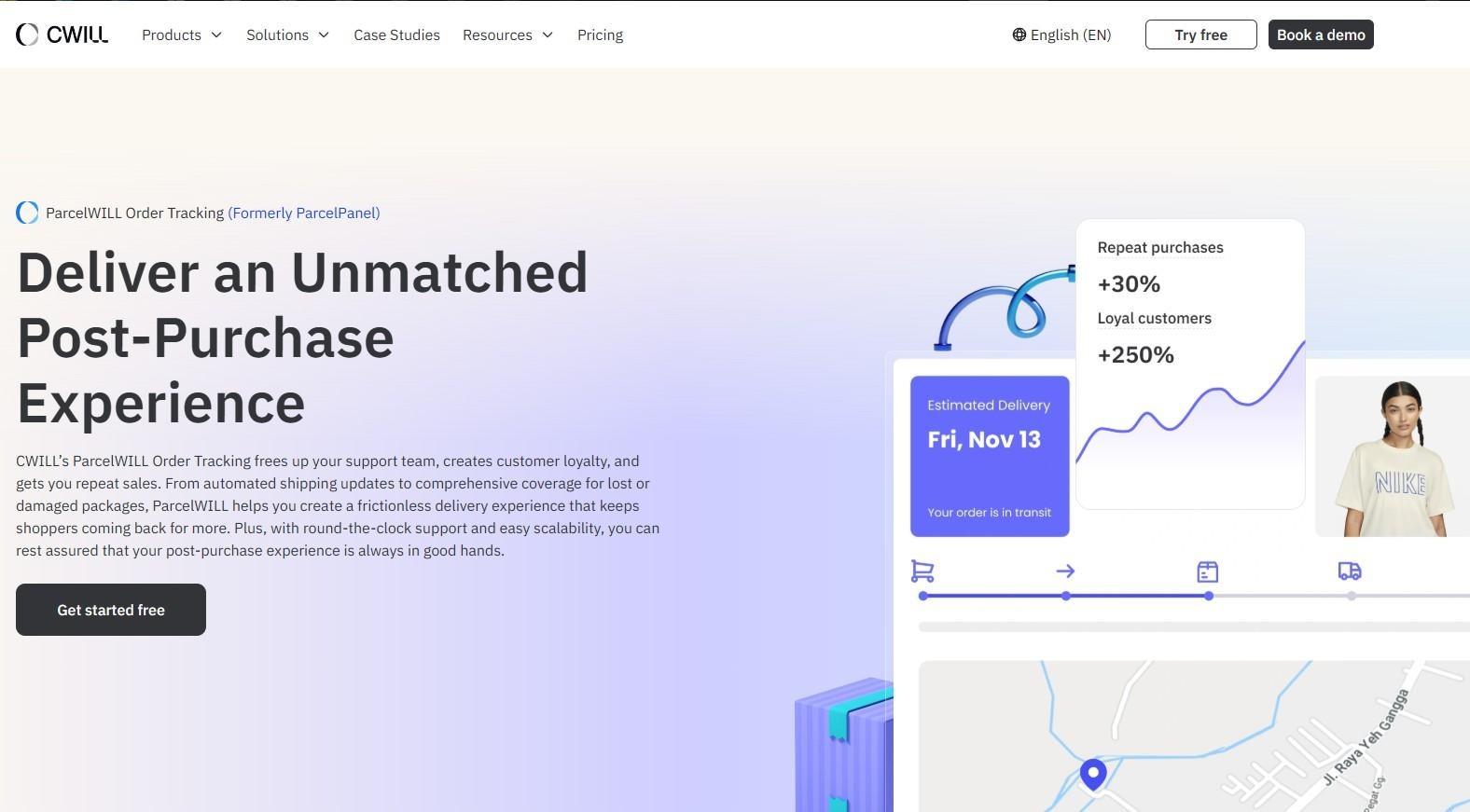
Here’s what it offers:
- Real-time shipment visibility with data on transit times and shipping statuses
- Automated shipping notifications sent directly to your customers
- Branded tracking pages with estimated delivery dates
- Connections to 1,400+ global carriers, including USPS, UPS, FedEx, and DHL
On top of all of these, installing and setting up the ParcelWILL app is super easy.
Conclusion
“In transit” means the package is actively moving through the carrier network.
Updates can pause for many reasons, from sorting backlogs and linehaul routes to customs holds and weekend closures, and that’s completely normal.
Knowing this stage well allows you to be more proactive in communication and keep WISMO tickets down for online shopping.
Plus, a good tracking tool like ParcelWILL Order Tracking makes that even easier by giving you real-time visibility on all your shipments.
FAQs About In-Transit Status
How long can a package stay in transit?
The “In transit” can last from one day to several weeks and this depends on the distance and service type. Domestic shipments typically stay in transit for 1 to 5 business days, while international orders can take anywhere from 7 to 21 days (and sometimes longer if customs gets involved).
Does in transit mean delivery is today?
No. “In transit” means that the product is moving, but it doesn’t guarantee the package will arrive soon. It’s not the same with “out for delivery” status.
Why has my package not updated for several days?
There are some reasons your package status has been the same for days. It can be because of customs delays, extreme weather conditions, a missed scan at a hub or facility, or simply because the package is moving between distant checkpoints with no scan points in between.
When should support teams contact the carrier or reship the order?
Your team should contact the carrier if there’s no progress on the status after 48 to 72 hours, or if there’s a delivery exception noted. If you encounter a confirmed loss, damage, or delivery failure after the carrier’s investigation, that’s when reshipping makes sense. You can also apply this to orders that are running 5 to 7 business days past the expected delivery date.

Content Specialist
I’m passionate about creating SEO-friendly content that also resonates with readers. I take data and insights and turn them into actionable, practical ideas. My mission? Helping websites drive organic traffic and grow sustainably.