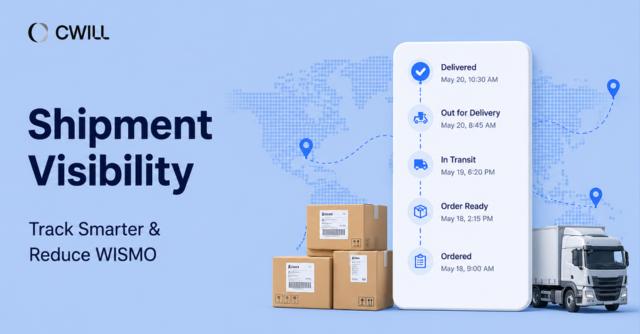
With a shipping confirmation email automation in place, you can send tracking updates at the right stages. Your customers will know when their order is on its way, if there are any delays, and even the possible delivery date.
But what should you automate, and when should those updates be sent?
In this article, we’ll discuss what to include in your shipping confirmation emails and when to send them. Plus, how branded tracking pages work and how you can lower WISMO tickets.
Before You Automate: What a Shipping Confirmation Email Needs to Do
Of course, before we discuss the automation, we need to talk about the shipping confirmation email first.
What Is a Shipping Confirmation Email?
A shipping confirmation email is the initial transactional email post-purchase that lets customers know their order has been fulfilled. It usually contains the tracking number, tracking link, carrier name, and other important shipment details for tracked shipments.
With this, ecommerce merchants give customers a clear way to check their shipment status after fulfillment.
Shipping Confirmation Email vs Order Confirmation Email
Some merchants get confused between shipping and order confirmation emails. Others even combine it in a single email. But they “confirm” two different things.
The order confirmation email goes out once a customer buys an item successfully. Shipping confirmation is sent after the order has been fulfilled.
We prepared the table below to compare them better:
| Order Confirmation Email | Shipping Confirmation Email | |
| Trigger | An online shopper places an order | When an order is fulfilled |
| Purpose | To verify that the order was received | To confirm that the order has been fulfilled and provide tracking details |
| Content | Order number, purchased items, payment details and method, shipping address | Shipping status, tracking link and number, carrier name, and estimated delivery date |
| Question Answered | “Did my order go through?” | “Where is my order?” |
What Tracking Details Should It Include?
The tracking link, tracking number, and shipping carrier name are three details you should always provide. Some other ones you can include are:
- Shipment status: E.g., “order is on its way.”
- Estimated delivery date: Provide a (reliable) date range of delivery. E.g., July 12-July 20.
- Shipping address: So that your customers can check if what they input was correct.
- Order summary: Show which items are included in this order.
- Support contact link: Add this so they can reach you for issues or questions.
When Should Shipping Confirmation Emails Be Sent?
Here’s when you can send shipping confirmation emails and tracking updates:
Tracking Number Available
For orders with tracking, you can send the shipping confirmation email after they’re marked as “fulfilled” and a tracking number has been added. It’s possible to add these details (plus order summary and other shipment info) to your emails automatically with the use of variables.
Just one thing here: Having the tracking number or a “Label Created” status doesn’t always mean the carrier has the package and it’s already in transit. So, it’s best to use more appropriate words like “Your tracking details are ready”… or “Your order is being prepared for shipment.”
Carrier Pickup or First Scan
Now, once the carrier receives the package, tracking information becomes way more reliable. This is the perfect time to send the “Your order is on its way” since the item is out of your hands already.
Avoid Empty Tracking States
If your store creates shipping labels before handing packages to the carrier, we suggest you avoid creating the “Label Created” status as an active shipment. If you can’t, make sure to use “neutral” subject lines and content.
But if your workflow allows it, you may wait until the carrier picks up the package or the first scan before sending a “Your order is on its way” update. That’ll prevent customers from tracking an inactive order and also set more accurate delivery expectations.
You also don’t have to set a shipping update for every single tracking event. Only in those situations where your customers have to know or do something.
How Shipping Confirmation Email Automation Works
Shipping confirmation email automation uses your order and tracking data to send shipping updates (possibly in multiple channels) to your customers.
From Shopify Order Data to Tracking Updates
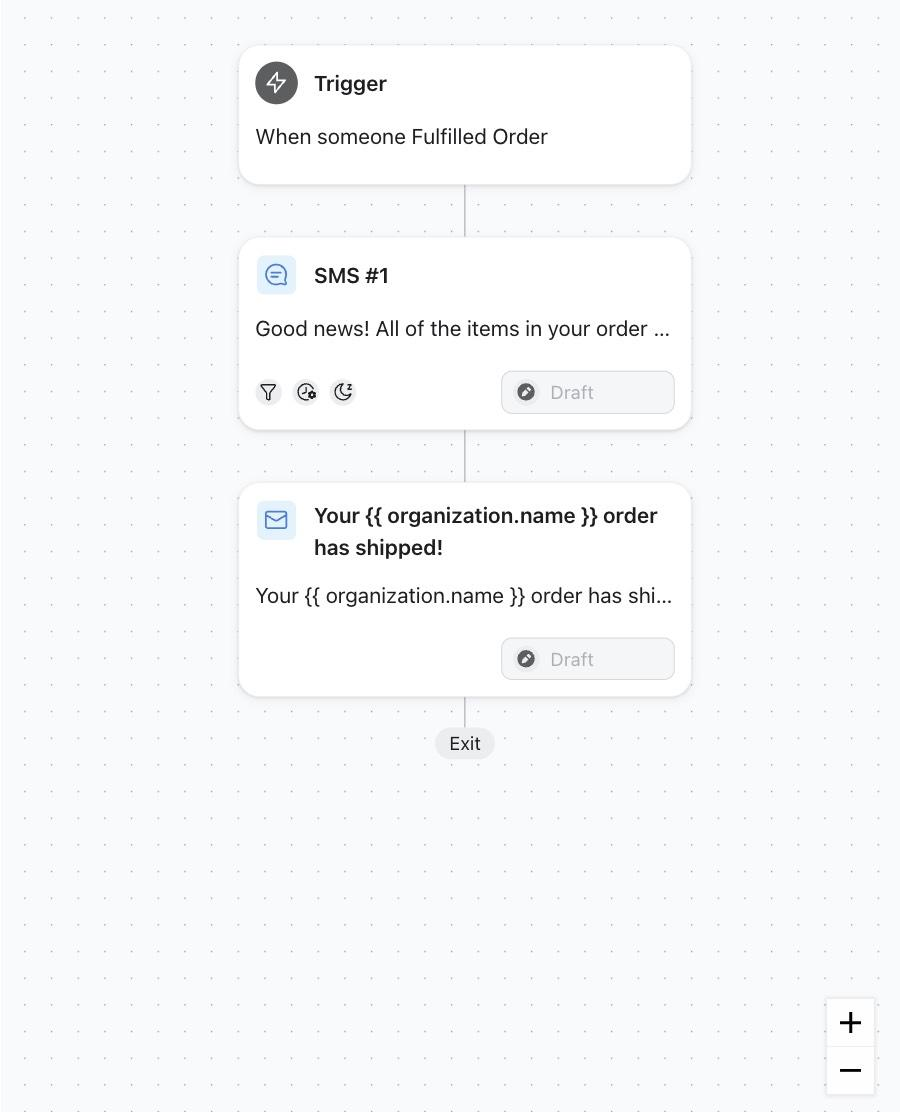
The tracking info usually comes up after a customer places an order and it’s marked as fulfilled. With Shopify, it can be passed to your notification workflow and added to the shipping confirmation emails.
The data you get depends on the tools you use. But often, they pass the tracking details, order number, customer details, and shipping address.
In this stage, you have to test your workflow before making it “live.” See how it works with partial and split shipments, plus with orders shipped from multiple locations.
Using Carrier Data and Tracking Apps
Tracking apps connect with shipping carriers and sync package location, shipment status, and even estimated delivery dates (EDD) if available. Some platforms can also create standard carrier statuses. So, regardless of which shipping company is used, customers will see consistent tracking updates and won’t be confused by different terms.
On top of this, if the tracking app supports “event-based” exception rules, you can edit notifications for stalled tracking, failed delivery attempts, and delays.
Sending Updates Through Email or SMS Tools
Next up: shipping confirmation and tracking updates are sent through email or SMS platforms. Klaviyo is a good tool for this, but the same process applies to most automation tools.
One thing you need to avoid is sending two messages for the same event. If you use a third-party platform to send the notification, deactivate the same alerts on Shopify.
You should also try to keep shipping updates informational and transactional. It’s still your strategy if you want to add some marketing content, but we suggest keeping it mild.
Shopify Notifications vs Advanced Tracking Automation
Let’s discuss when Shopify notifications are enough or whether you need more advanced tracking automation:
What Shopify Native Notifications Cover
Shopify has its own order tracking notifications for common order and fulfillment events. Your customers can receive updates once they place an order, plus when the package is fulfilled and shipped. It can also come with basic tracking (if available).
These notifications can direct customers to Shopify’s native Order Status Page. And from here, they can check their latest order status.
Native Shopify’s features are often enough for smaller ecommerce brands and stores. Owners can communicate the info that customers need.
When Merchants Need More Control
But you may need more control and flexibility with tracking triggers if you:
- work with multiple carriers or 3PLs
- fulfill orders from multiple locations
- ship internationally
- manage split shipments
For example, each of your shipments may need its own tracking updates and not just a single notification for the whole order.
Besides that, advanced tracking automation can be more valuable if you experience delivery exceptions more often. Or your WISMO inquiry rates are high.
Advanced Triggers and Exception Updates
Standard shipping notifications are better for successful shipment updates. But if the tracking provider supports event-based exception data, you can cover more important situations: stalled tracking, delays, and failed delivery attempts.
These issues can affect the customer experience. But through advanced triggers, you can give updates before the customers notice (or it becomes serious).
Carrier Links vs Branded Tracking Pages
Both carrier pages and branded tracking pages let customers track their orders. The difference is in how they view those updates and what information is available alongside them.
Limits of Carrier Tracking Pages
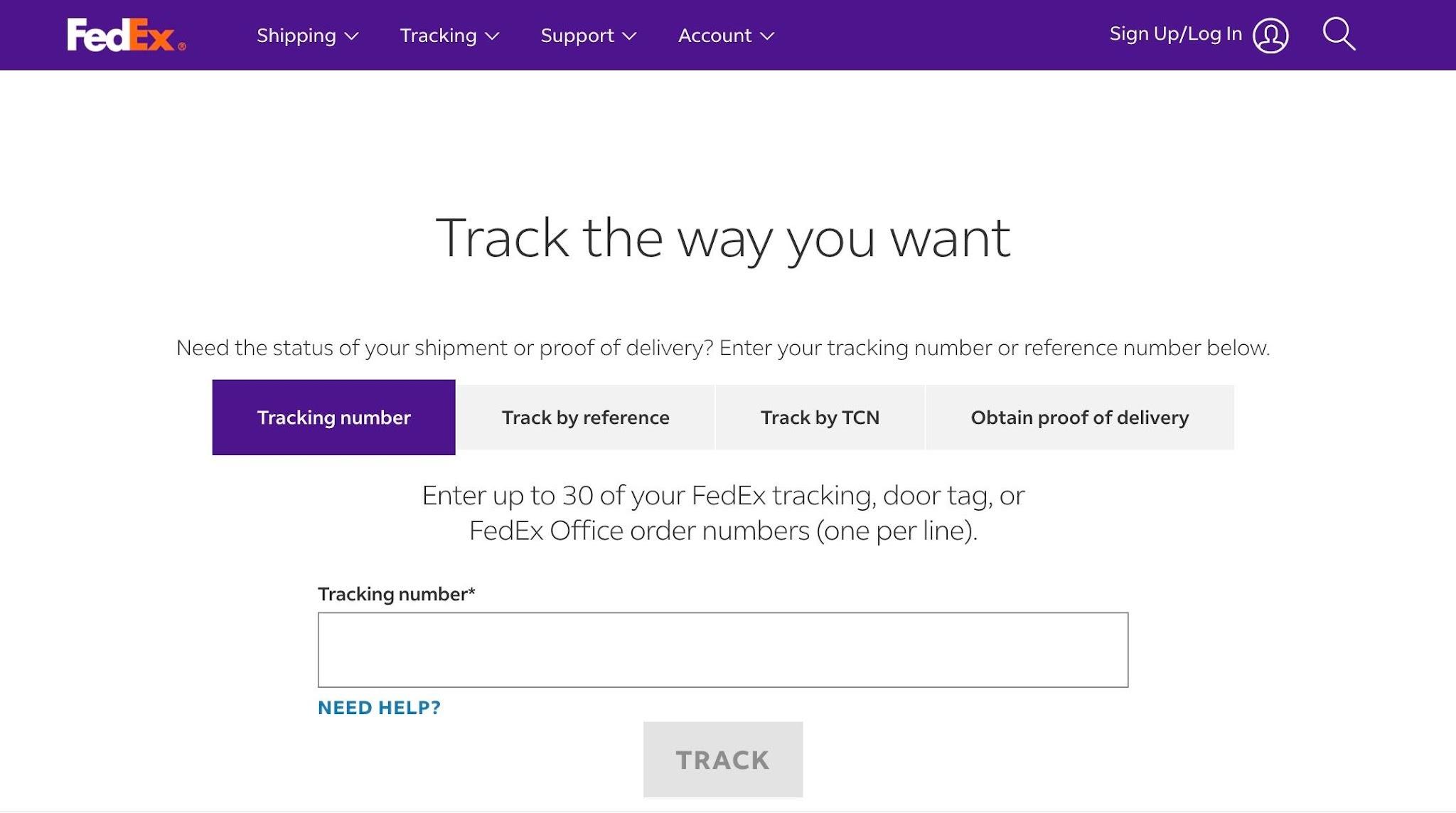
Carrier links direct customers to the shipping carrier’s tracking page to check their shipment status.
Branded tracking pages, on the other hand, display the same tracking information within your own store, giving customers a single place to follow their order throughout the delivery process.
Why Branded Tracking Pages Improve Self-Service
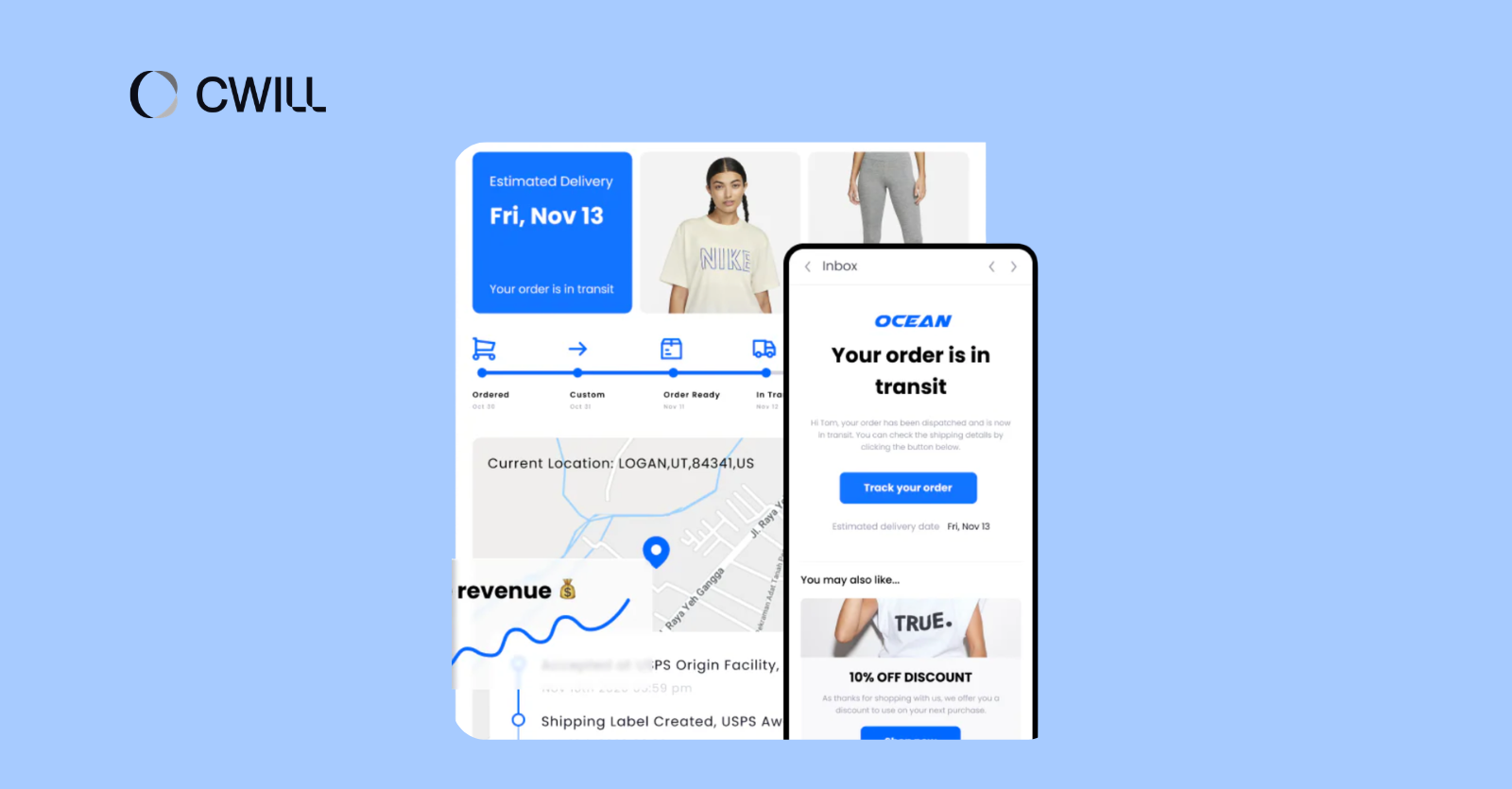
Branded tracking pages can also include information beyond shipment updates. You can add FAQs, return information, support contact options, and other next steps, so customers don’t have to search through multiple emails or pages for answers.
Because everything is available in one place, customers can often resolve common delivery questions on their own. That means fewer routine support requests and a faster experience when they need help with their order.
Making the Most of Tracking Page Visits
Customers often visit a tracking page more than once while waiting for their order. Once the tracking information is in place, you can use the remaining space for secondary content, such as related products, customer reviews, loyalty program details, or referral offers.
These additions can support the post-purchase experience, but the tracking information should always remain the main focus.
If your store has outgrown Shopify’s native notifications… or you just need more control, a dedicated tracking platform can help manage multi-carrier tracking and automated shipment updates.
ParcelWILL’s Order Tracking (for example) combines automated shipment notifications with a branded tracking page. Merchants can offer more with it, like estimated delivery dates when available, support contact, and other self-service resources.
If supported tracking events are available, they can also configure updates for shipment delays or failed delivery attempts.
How Tracking Updates Reduce WISMO Tickets
One of the main goals of shipping confirmation email automation is to reduce “Where Is My Order?” inquiries before they reach your support team.
Answering Customer Questions Before Support Tickets
Customers usually contact support when:
- tracking hasn’t changed for days
- shipment status isn’t clear
- estimated delivery date isn’t available
- there are exceptions or delays (with no explanation)
With automated tracking updates, you can provide the answer even before they ask questions. Since your customers are aware of their orders’ situation, there’ll be less need to submit a ticket.
Using Tracking Pages for FAQs and Next Steps
Tracking pages are a powerful tool for support. Besides providing customers with shipment status, you can also use it to address common questions about the delivery process (or even about your products).
Plus, you can also provide details of what they can do next. That can be checking other items from your product recommendation, or leaving a review after they receive the item.
Handling Delays, Failed Delivery, and Exceptions
Delivery issues sometimes happen after shipping the order. And although carriers are the ones “handling” it, your customers will still expect updates from your brand.
So, if there’s a delay, a glitch in the tracking status, or even a failed delivery attempt, you have to set notifications for these exceptions. It should detail what happened and what customers should do next. That may be waiting for another delivery attempt, checking with the carrier, or connecting with your support team.
Common Shipping Confirmation Email Automation Mistakes
When working on your automation, you might commit some common mistakes, including poor timing, carrier-only links, and excessive notifications. Here’s how you can avoid them.
Sending Emails Before Tracking Data Is Ready
Shipping confirmation emails are only useful when customers have information they can actually use. If the email is missing the estimated delivery date (when available), carrier information, or tracking URL, customers may still be left with questions about their shipment.
To avoid this, set your automation to trigger only after the required tracking details become available.
Using Carrier Links as the Only CTA
Carrier links are still useful, especially if customers want to view detailed “carrier-level” and original tracking info. But not all of them provide self-service support or useful features, like other tracking destinations.
You can choose one primary tracking destination based on your store’s needs. Shopify’s Order Status Page is great if you simply want basic tracking requirements.
But if your brand needs features for extra self-service content and more control over the customer experience, a branded tracking page is the top choice.
Of course, you can still include the carrier link, but keep it secondary.
Over-Notifying Customers About Minor Updates
Customers like to receive updates, but be careful not to overdo it and “spam” them with notifications for every single package movement.
You only have to focus on certain milestones. We suggest that you prioritize these:
- Shipment confirmation
- Carrier pickup or first scan
- Delivery notifications
- Delays, failed delivery attempts, and other exceptions
By doing so, your customers won’t experience notification fatigue, as they’ll see each message as relevant.
Shipping Confirmation Email Template
The exact format will vary by business, but most shipping notification emails follow a similar structure.
Here’s an example of a transactional email template:
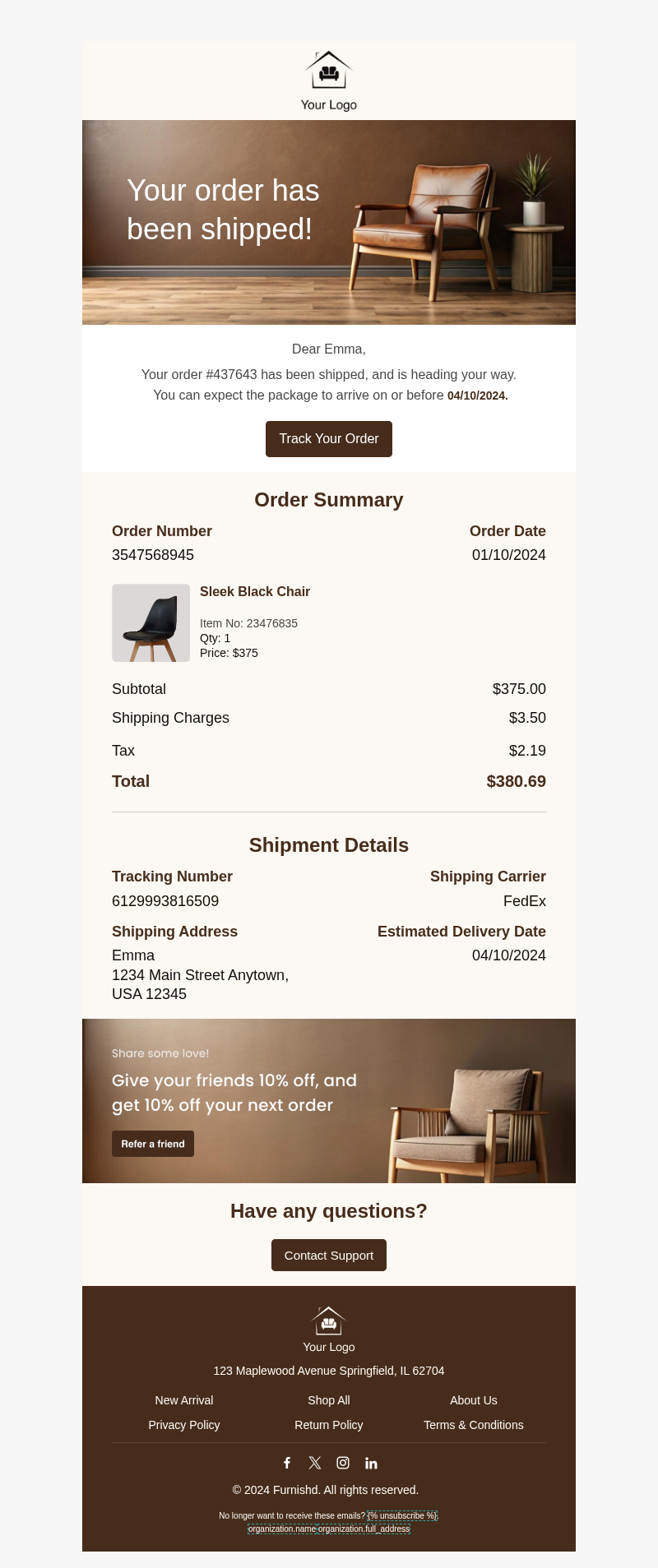
And you can use the sample content below as a guide in making your own.
Simple Shipping Confirmation Email Example
Use this version when the carrier has accepted the package or the tracking page shows meaningful shipment movement.
Subject Line: Your order is on the way
Preview Text: Track your shipment and view the latest delivery updates.
Hi {{First Name}},
Good news. Your order has been shipped and is on its way.
Track Your Order: [Branded Tracking Page]
Estimated Delivery Date: June 30, 2026
Carrier: UPS
Tracking Number: 1Z9999999999999999
Order Number: #12345
Shipping Method: Standard Shipping
Order Details:
- Blue Hoodie × 1
- Black Cap × 1
Questions about your delivery? Contact us here: [Support Link]
Thank you for your order.
Where to Place the Tracking CTA
You can place the tracking CTA near the top of the email so customers can find it immediately. It’s also best to link it to your branded tracking page.
If you want to include product recommendations or encourage future purchases, place them below the tracking section so shipment updates remain the main focus.
FAQs About Shipping Confirmation Email Automation
When Should a Shipping Confirmation Email Be Sent?
You should send the initial shipping confirmation email after fulfillment and, for tracked shipments, once tracking details are provided.
If your workflow allows you to mark orders as fulfilled before the carrier receives the package, avoid saying that the order is already “on the way” when the status is only “Label Created.” Use neutral wording at that stage, or send a separate “on the way” update once carrier pickup or the first scan confirms shipment movement.
What Should a Shipping Confirmation Email Include?
Your shipping confirmation email should include the tracking number, tracking link, and carrier name so customers can follow their shipment. We also recommend adding the estimated delivery date, shipping address, and order summary. If delivery issues arise, include a support contact link so customers know where to get help.
Should Tracking Links Go to the Carrier Page or a Branded Tracking Page?
There’s nothing wrong with carrier pages, but we recommend branded tracking pages for most Shopify stores. Carrier pages can feel disconnected from the rest of the customer experience and usually provide little beyond basic tracking information.
With branded tracking pages, you can also include FAQs, support links, returns information, and even product recommendations.
How Can Automated Shipping Emails Reduce WISMO?
Automated shipping emails answer your customers’ questions before they reach out to support. When paired with a tracking page that shows order status and helpful resources, customers can find the information they need themselves. As a result, your team spends less time handling repetitive WISMO tickets.

Content Specialist
I’m passionate about creating SEO-friendly content that also resonates with readers. I take data and insights and turn them into actionable, practical ideas. My mission? Helping websites drive organic traffic and grow sustainably.