Trust badges are small icons that show shoppers your store is secure and legitimate. They matter most at the moment a shopper decides whether to pay. About 70% of online carts are abandoned before purchase, according to Baymard Institute. Of US shoppers who abandoned during checkout, 19% said they didn’t trust the site with their credit card information.
Trust badges speak to that worry directly. Shoppers who trust your store are more likely to finish checking out, which lifts conversions and sales.
What is a Trust Badge?
A trust badge is a symbol on your website that tells visitors your store is reliable and their data is safe. Shoppers are quick to leave a site that doesn’t seem to protect their information. A badge reassures them that their payment details go through a secure third-party provider, so they can buy without worrying about a data breach or identity theft.
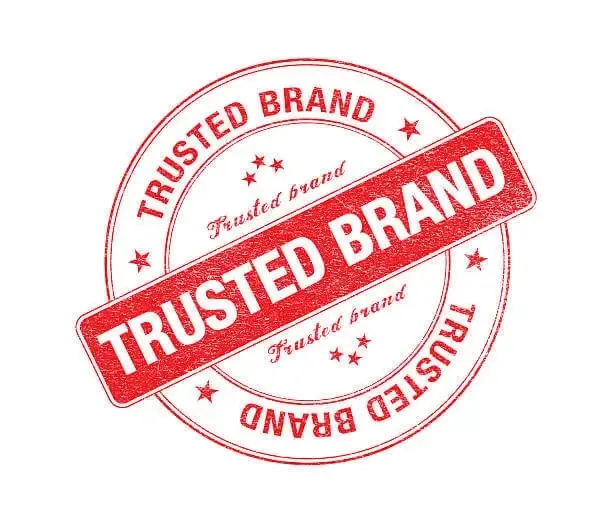
Trust badges used to sit mainly on the checkout page. More stores now put them on the homepage as well.
What Do Trust Badges Look Like?
Trust badges are small icons that carry the name and logo of the company behind the service, such as a payment processor or security provider. If you’ve shopped online, you’ve likely seen them near a checkout form or on a homepage, close to where the site asks for your card number or other personal details.
Some badges are simple graphics. Others are clickable and open a pop-up with details about how the site was verified.
Where to Put Trust Badges
Trust badges have the most impact where shoppers enter personal information or feel unsure about buying. You can place them anywhere on your site. These four spots each do a different job.
Homepage
A badge on the homepage starts building trust from a visitor’s first click. Keep homepage badges small and subtle. If they clash with your design, use one of the placements below instead.
Site Footer
The footer is the easiest way to show badges sitewide, because it appears on every page. Shoppers often overlook the footer, though, especially when they’re deciding whether to fill in the checkout form. Don’t rely on it alone.
Product Pages
On product pages, put trust badges next to the “Add to cart” or “Buy now” button. They boost the shopper’s confidence just before checkout.
Checkout Page
The checkout page is the most important place for a trust badge. This is where shoppers decide whether to buy, so it’s the moment you want them to see it.
Five Types of Trust Badges to Use on Your Store
SSL Badges
SSL stands for Secure Sockets Layer. An SSL certificate encrypts the data shoppers send to your site. Browsers show this with “https” and a padlock or site-info icon to the left of the URL. Always turn on SSL for your ecommerce store so shoppers know your site is safe to browse and buy from. Shopify includes a free SSL certificate with every store.
Accepted Payment Badges
Most shoppers want to see payment options from brands they recognize, such as Mastercard, PayPal, and Visa. When customers see those logos and know they can pay their preferred way, they feel safer buying. Put these badges in your site footer or on the payment page.
Free Shipping Badges
Free shipping encourages more shoppers to complete their purchase. It also cuts cart abandonment, because customers won’t hit unexpected fees at checkout. For shoppers on the fence, free shipping can tip the decision.
Show a free shipping badge on your cart and checkout pages. You can also add it to your homepage and FAQ page. Offering free shipping removes a common worry and gives shoppers more confidence in their purchase.
Third-Party Endorsement Badges
Third-party endorsement badges, such as BBB Accreditation, show that an outside organization has reviewed your business. Because of that review, they signal that your company is legitimate and established.
They take extra work: you have to apply and wait for approval before you can display one. Most stores put these badges in the footer.
Money-Back Guarantee Badges
A money-back guarantee takes much of the risk out of buying online, which makes it one of the strongest ways to build trust. This badge helps shoppers feel safe about buying from a brand they don’t know yet.
You can design your own money-back guarantee badge to match your brand, and it costs nothing. If you offer a guarantee, show the badge prominently.
How to Choose Trust Badges That Build Confidence
Trust badges raise conversion rates by giving shoppers more reason to believe in your site and its payment system. A badge from a recognized organization, such as PayPal or Visa, placed just before payment does the most work. Even a basic badge helps.
Use badges only from trusted sources, and place them where shoppers enter their payment details.